Notifications for Customers
Written By Janina
Last updated About 1 month ago
To ensure your client always stays up to date, Proyex automatically notifies them of important changes to the project. You can customize which notifications your client receives and which they don't.
How Notifications Work in Proyex
Notifications in Proyex are sent via email.
The client receives a message as soon as something happens in the project, such as a new revision or a change. The email explains what happened, and the client can go directly to the project to view the details.
Setting Up Notifications
You can customize notifications for each client on a per-project basis.
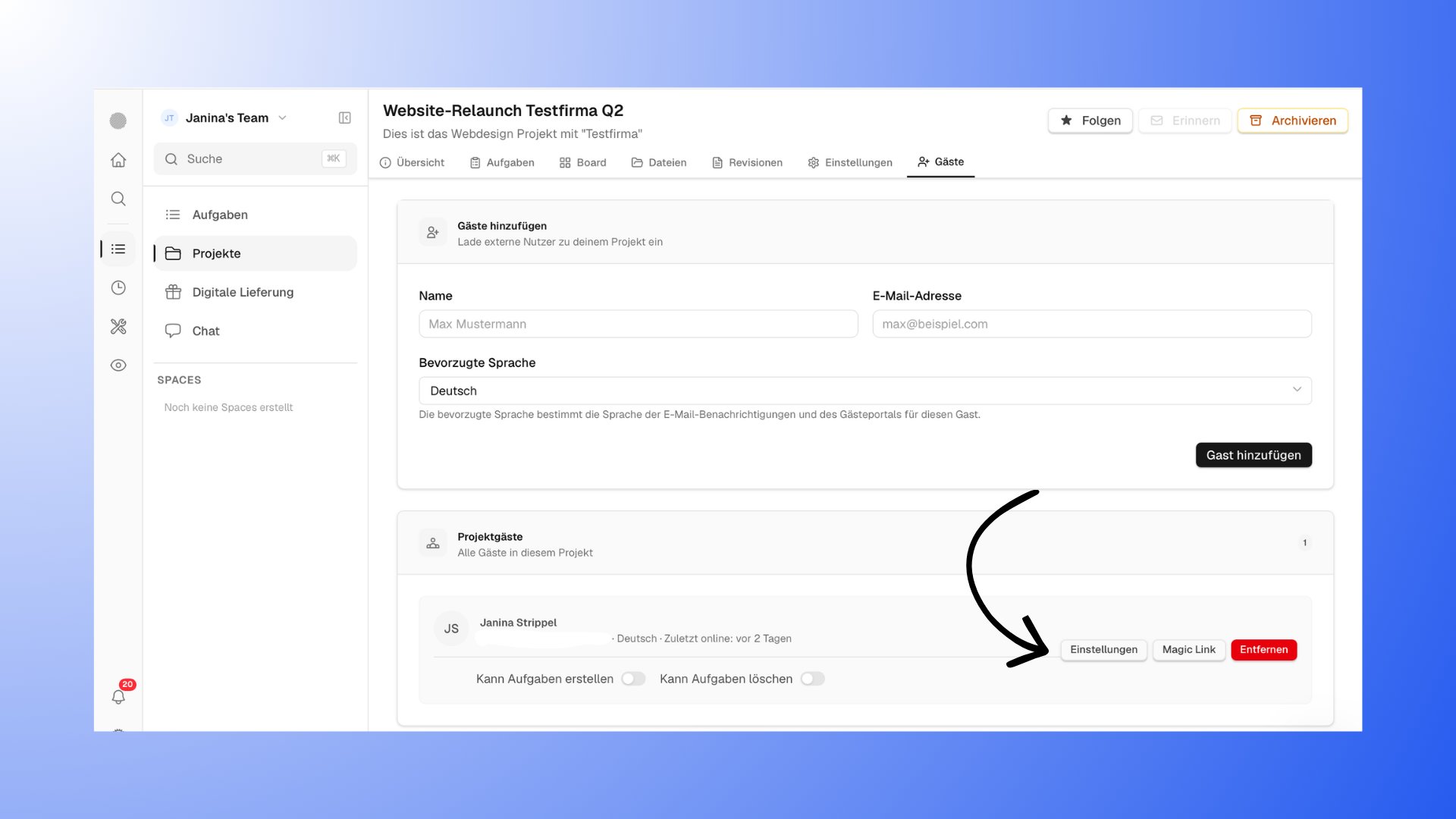
To do this, go to your project and open the “Guests” section. There you’ll find the notification settings for each customer.
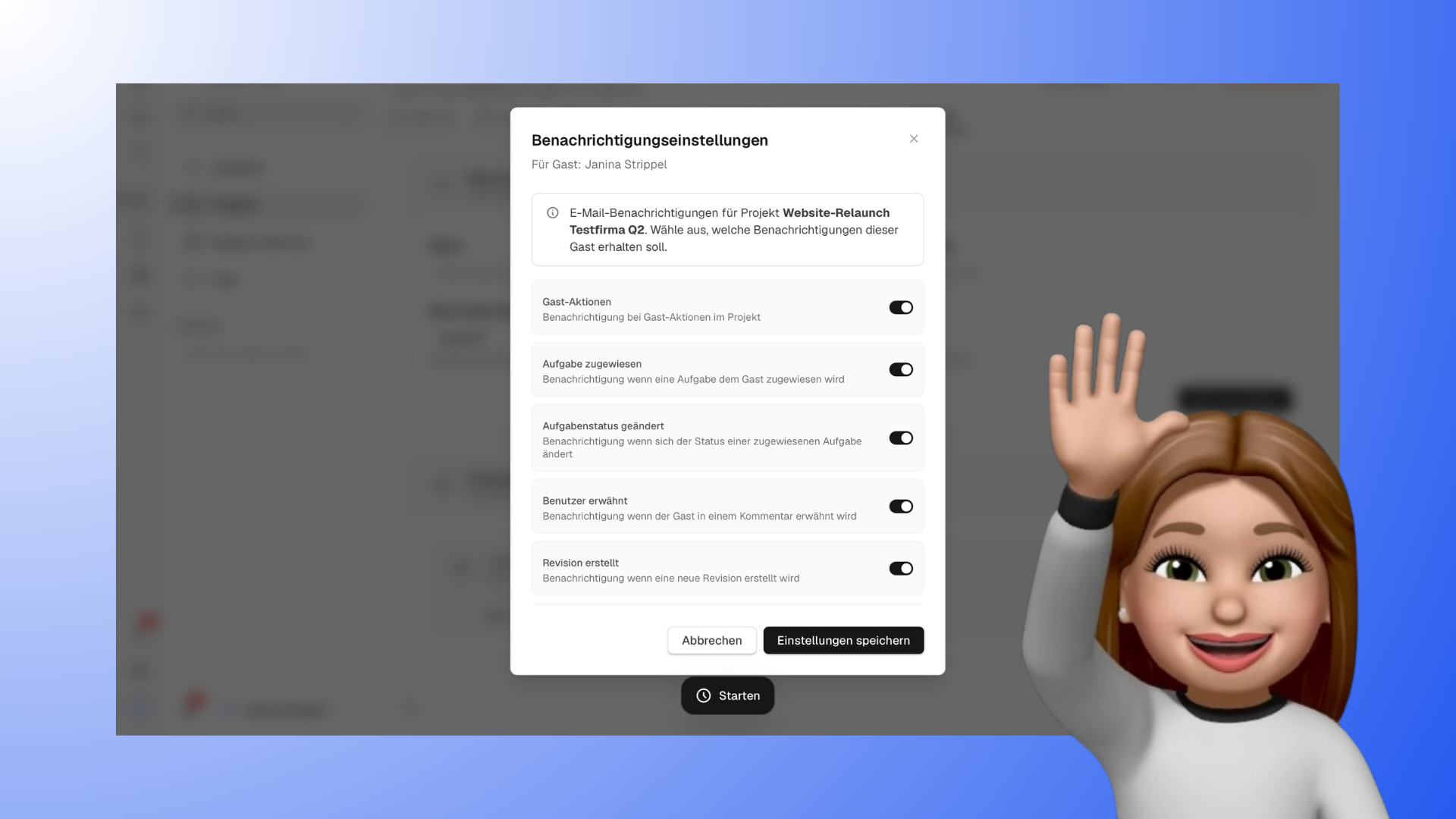
Here you can specify which actions should trigger a notification for the client, for example:
when a task is assigned to them
when the status of a task changes
when they’re mentioned in a comment
when a new revision is created
when the status of a revision changes
when a form is assigned, closed, or reopened
when reminders are sent for forms
By default, all notifications are enabled. You can customize them at any time and select only those that make sense for your workflow.
Using Notifications in the Workflow
Automatic notifications keep your client informed at all times without you having to send manual reminders.
This often results in faster feedback and projects moving forward more quickly. At the same time, it reduces the need for back-and-forth communication, since the customer can see right away when something new has happened.
Tips and Avoiding Common Mistakes
Make sure your client is invited to the project from the start; otherwise, they won’t be able to receive notifications and won’t have insight into the project status.
Use the notification settings wisely and tailor them to your project. If you rely solely on external communication, your client will quickly lose track of what’s actually happening in the project.