Track changes and feedback
Written By Janina
Last updated 5 months ago
To ensure that projects run smoothly, it’s important to be able to track at any time what feedback your client has provided and what changes resulted from it.
Where to find changes and feedback
In Proyex, everything is managed through the revision feature. There you’ll find:
all of the client’s feedback
all uploaded versions
the evolution of your work over time
All revisions are sorted chronologically, so you can always see right away what happened most recently.
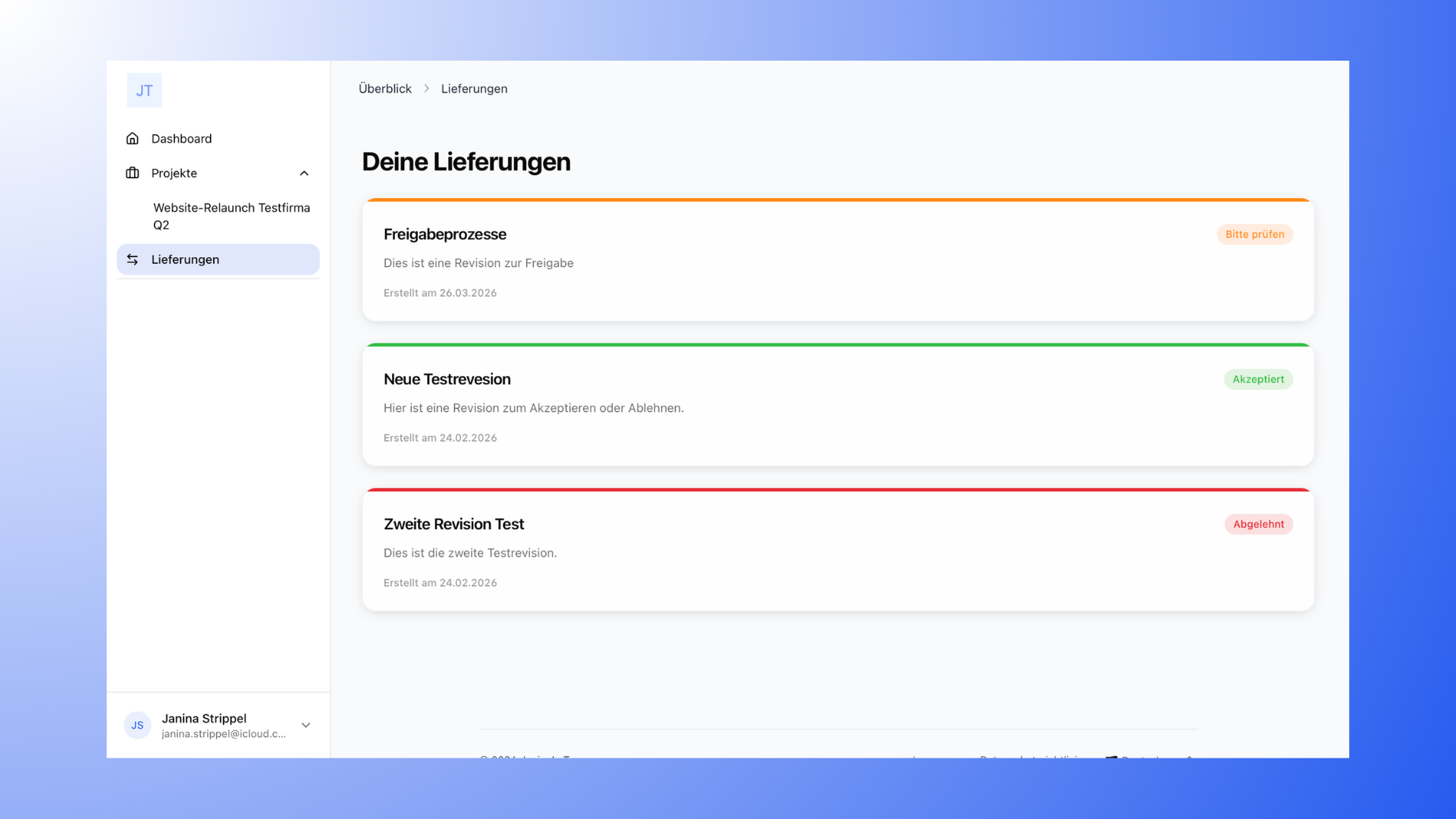
Track changes step by step
To understand changes and feedback, go directly to your project’s revisions.
There you’ll see all revisions sorted by date (the newest is usually at the top). In each individual revision, you can see exactly what feedback the client provided and which version it applies to.
If you’re working with multiple revisions, it can also be helpful to name them clearly, for example as “Revision 1,” “Revision 2,” and so on. This makes it even easier to keep track of everything.
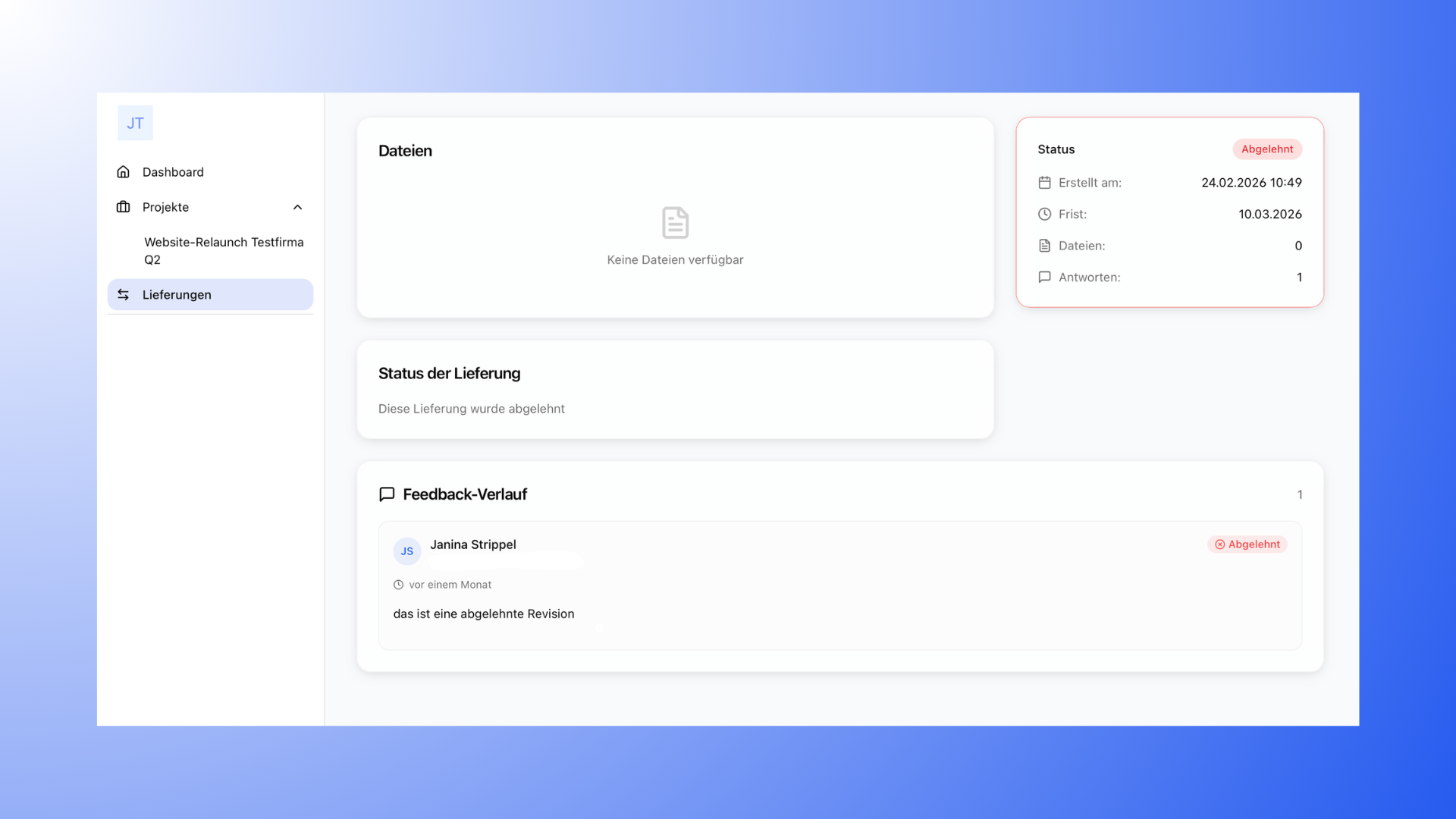
Feedback vs. Changes
Feedback and changes are directly related, but they are not the same thing. Feedback is what your client communicates to you—their requests or adjustments. The changes are your implementation of that feedback.
The revision feature allows you to clearly separate the two while linking them together.
Staying Organized
A clear structure is key to keeping track of everything. If you collect all feedback and changes centrally in Proyex, you can always see how a project has progressed.
It’s also helpful to work with a fixed number of revisions and name them clearly. Combined with sorting revisions by date, everything stays organized and easy to track.