Customer View in the Project
Written By Janina
Last updated About 1 month ago
When you invite clients to a project, they gain access to their own project view.
This view is intentionally streamlined and shows only the content relevant to collaboration. Internal planning, team communication, and organizational views remain hidden from clients.
In this article, you’ll learn what your clients can and cannot see in the project.
What Clients See in the Project
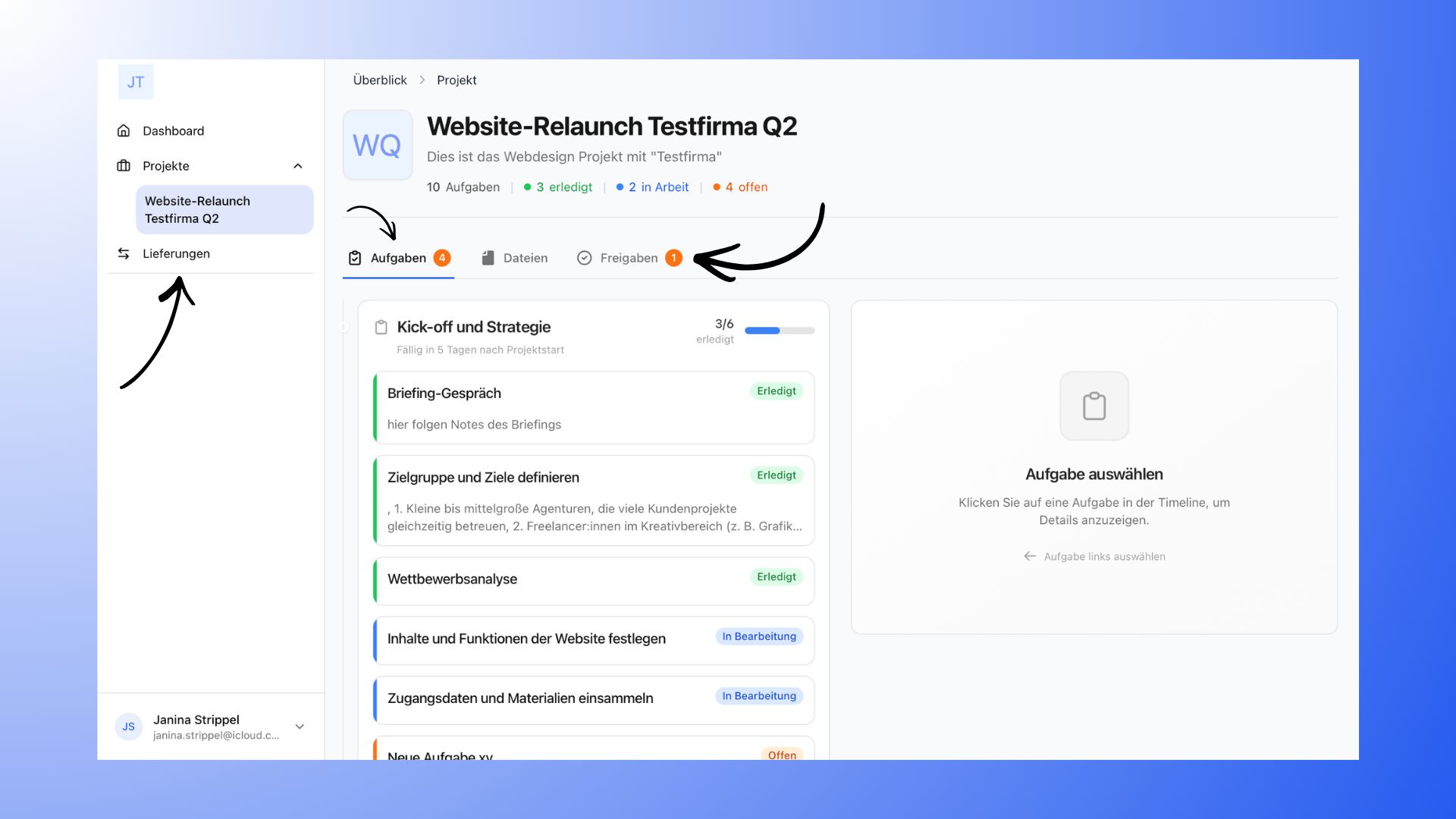
Clients have access to the most important content in a project.
This includes:
Project Overview: The general overview of the project with the most important information.
Tasks: Clients can view all visible tasks in the project, along with their current status.
Milestones: Milestones structure the project and group multiple tasks together, allowing clients to track the progress of individual project phases.
Files: All uploaded project files can be viewed and downloaded.
Revisions and Approvals: Clients can view published revisions and their status.
Comments on Revisions: Feedback on revisions is documented in the comments section.
Revision Change Log: All changes to a revision can be tracked in the revision history.
What Clients Cannot See in the Project
Some areas are intended exclusively for internal organizational purposes and remain hidden from clients.
These include:
Kanban board
Table View
Internal team chat
Internal Notes
Hidden milestones
Hidden tasks
When content is hidden from customers, they simply cannot see it.
What actions customers can perform
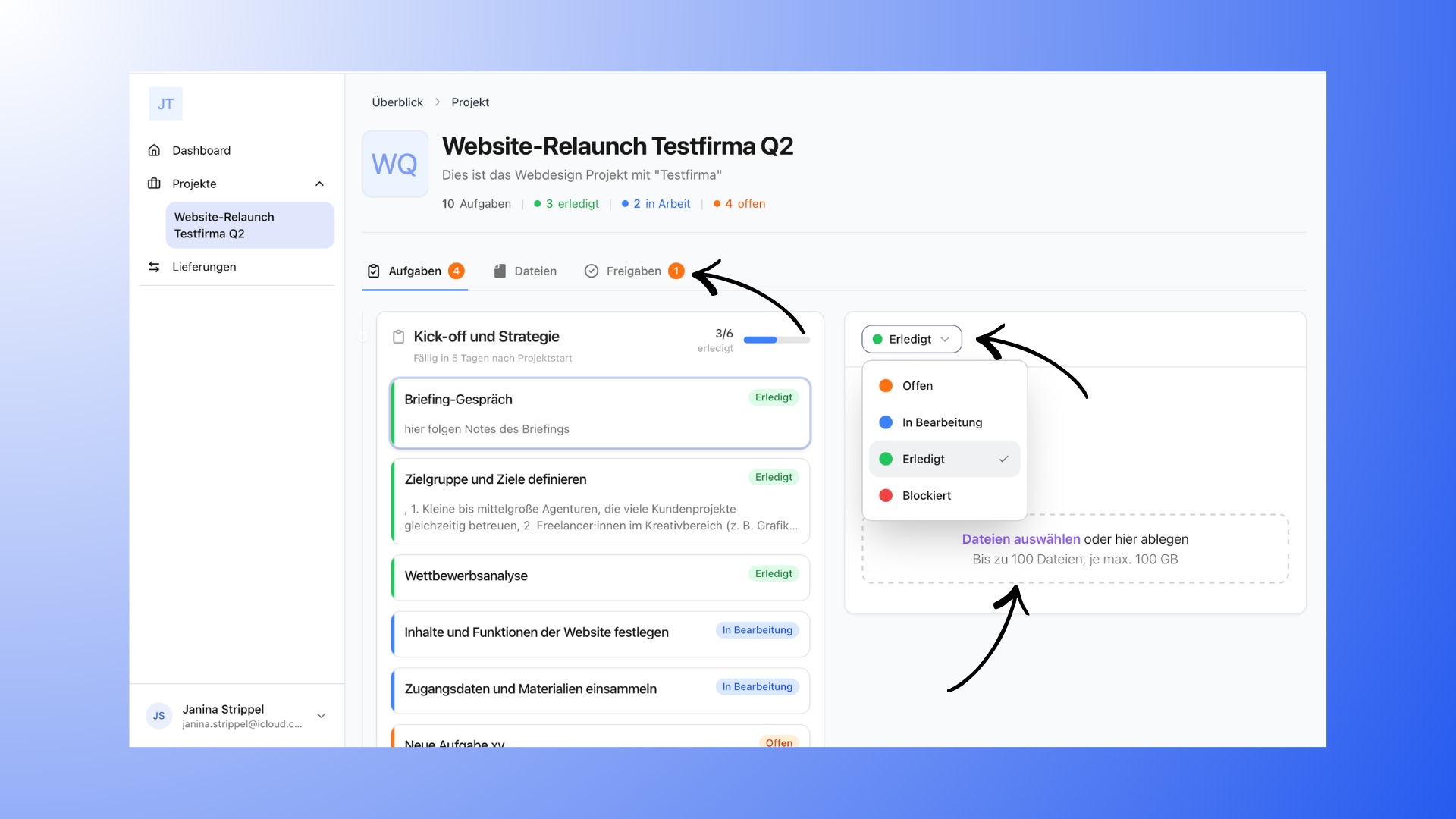
Your customers can actively collaborate on the project without changing the project structure.
They can:
change the status of tasks
upload files to tasks
Upload files to the project area
approve or reject revisions
Write comments on revisions
These features enable easy collaboration and clear feedback processes.
What customers cannot change
The basic project structure always remains under your control.
Therefore, clients cannot:
create new tasks
edit existing tasks
comment on tasks
edit milestones
initiate revisions themselves
Invite other guests
Change project settings
This keeps the project organized and easy to navigate.
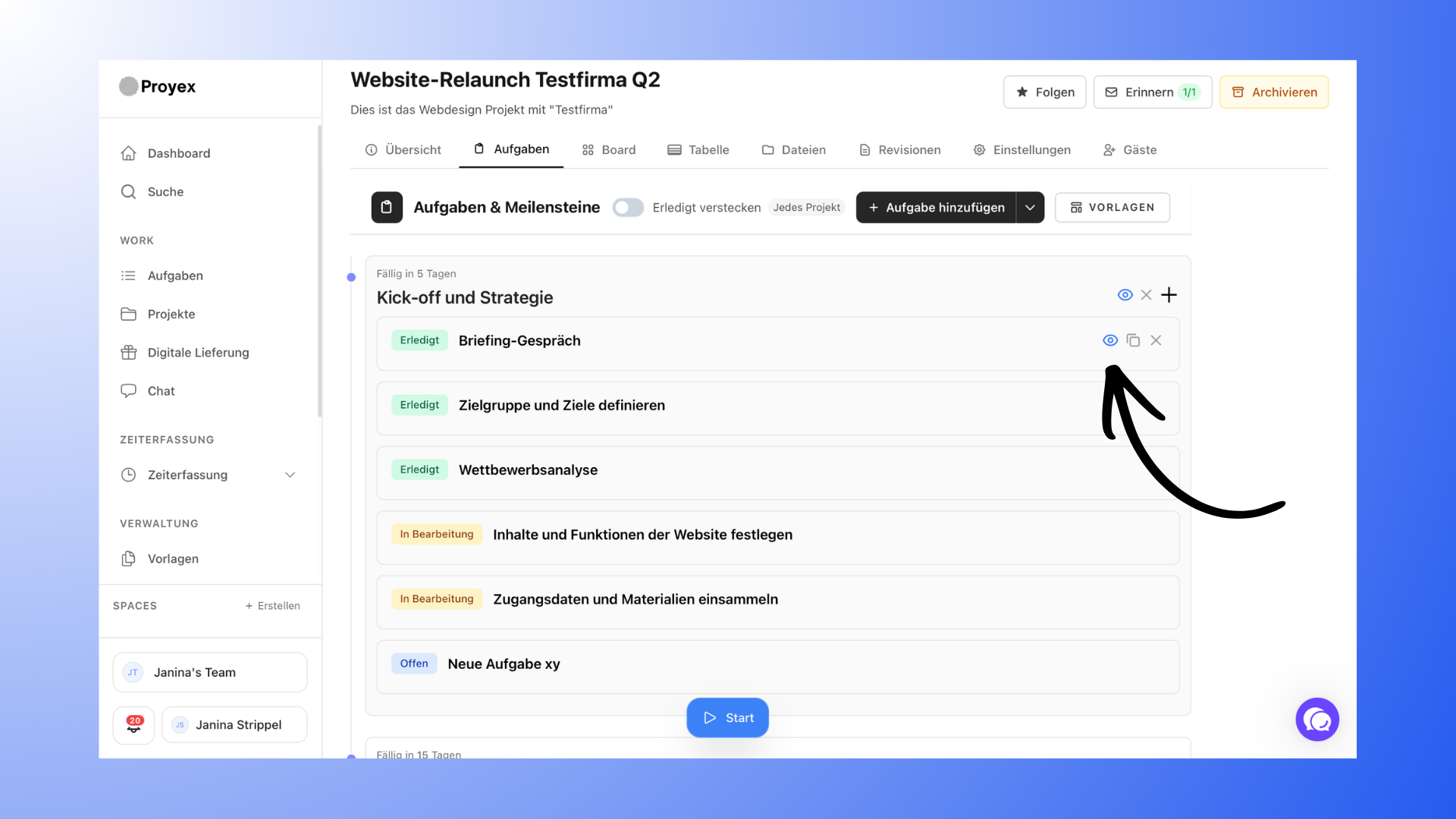
Control visibility within the project
You can decide for yourself which content is visible to clients.
For example:
Hide tasks
Hide milestones
Withdraw or delete revisions
Delete files or folders
Hidden content simply does not appear in customers' views.
Notifications for customers
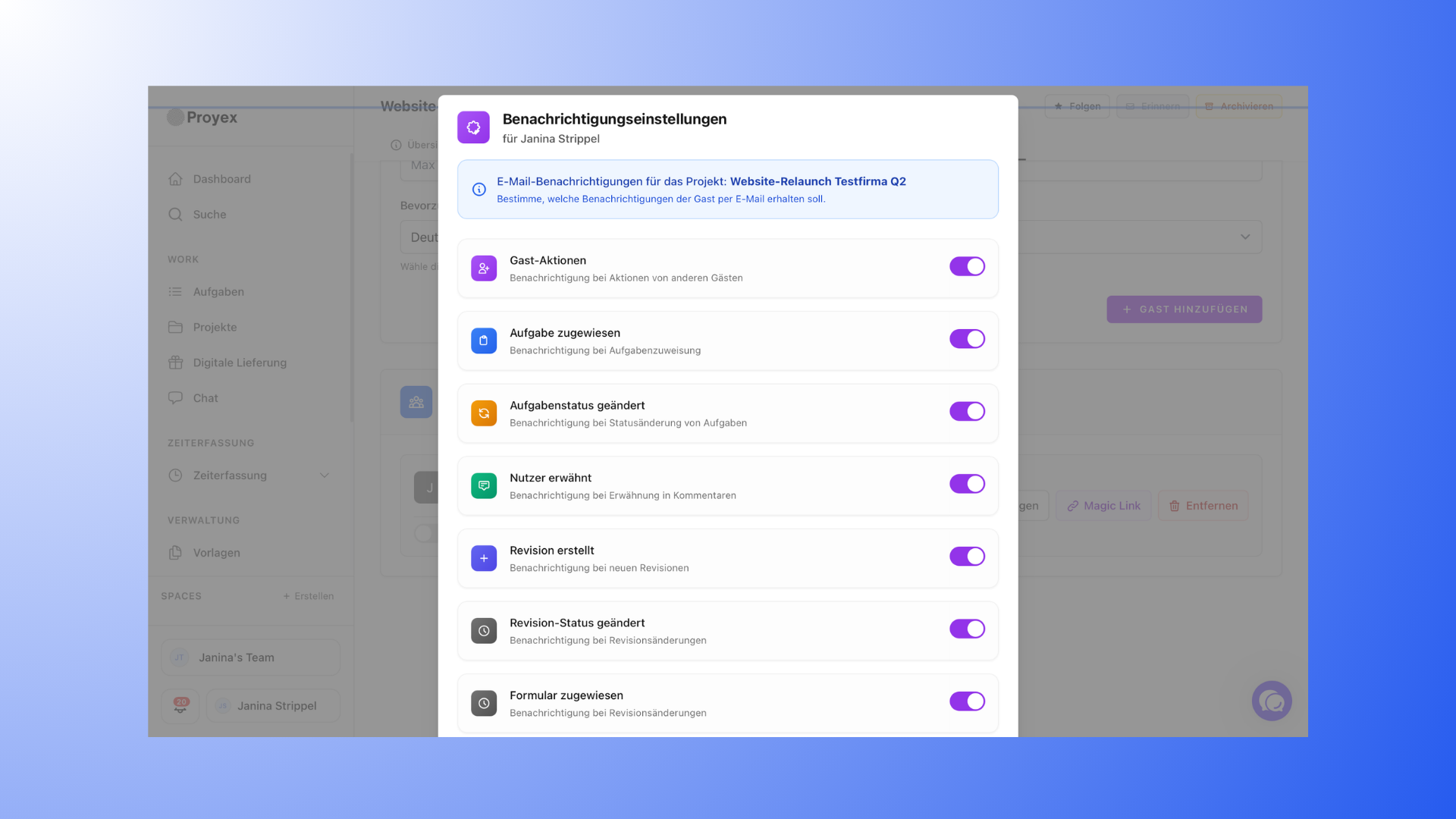
Customers are notified of important changes via email.
For example:
new revisions
changed revision statuses
assigned tasks
status changes to tasks
Mentions
Form actions or reminders
This keeps customers informed about project progress, even when they aren’t actively using the tool.
Access to Projects
Clients can only view the projects to which they’ve been invited. They don’t have access to other projects or other clients.
If you’re working on many projects for a single client, the project list in the guest area can quickly become cluttered. In the portal settings, you can therefore configure this setting for the entire team to hide completed and archived projects from clients:
Hide completed projects: Projects in which all tasks have been completed disappear from the guest area. Projects without any tasks are not considered completed.
Hide archived projects: Archived projects are hidden from clients.
Hidden projects disappear from the project list and the menu and can no longer be accessed via direct links. As soon as a project has an open task again or you retrieve it from the archive, it automatically becomes visible to your clients once more. Both settings are disabled by default.