Projects, tasks & milestones - how are they all connected?
Written By Janina
Last updated 6 months ago
In Proyex, every project is based on a clear structure.
This structure helps you organize complex projects in a clear manner and makes progress traceable at all times.
The basic logic is:
Project → Milestones → Tasks
All three elements belong together and each fulfill their own role in the project.
The project: The central workspace
A project is the overarching workspace in which all the content of a project is organized.
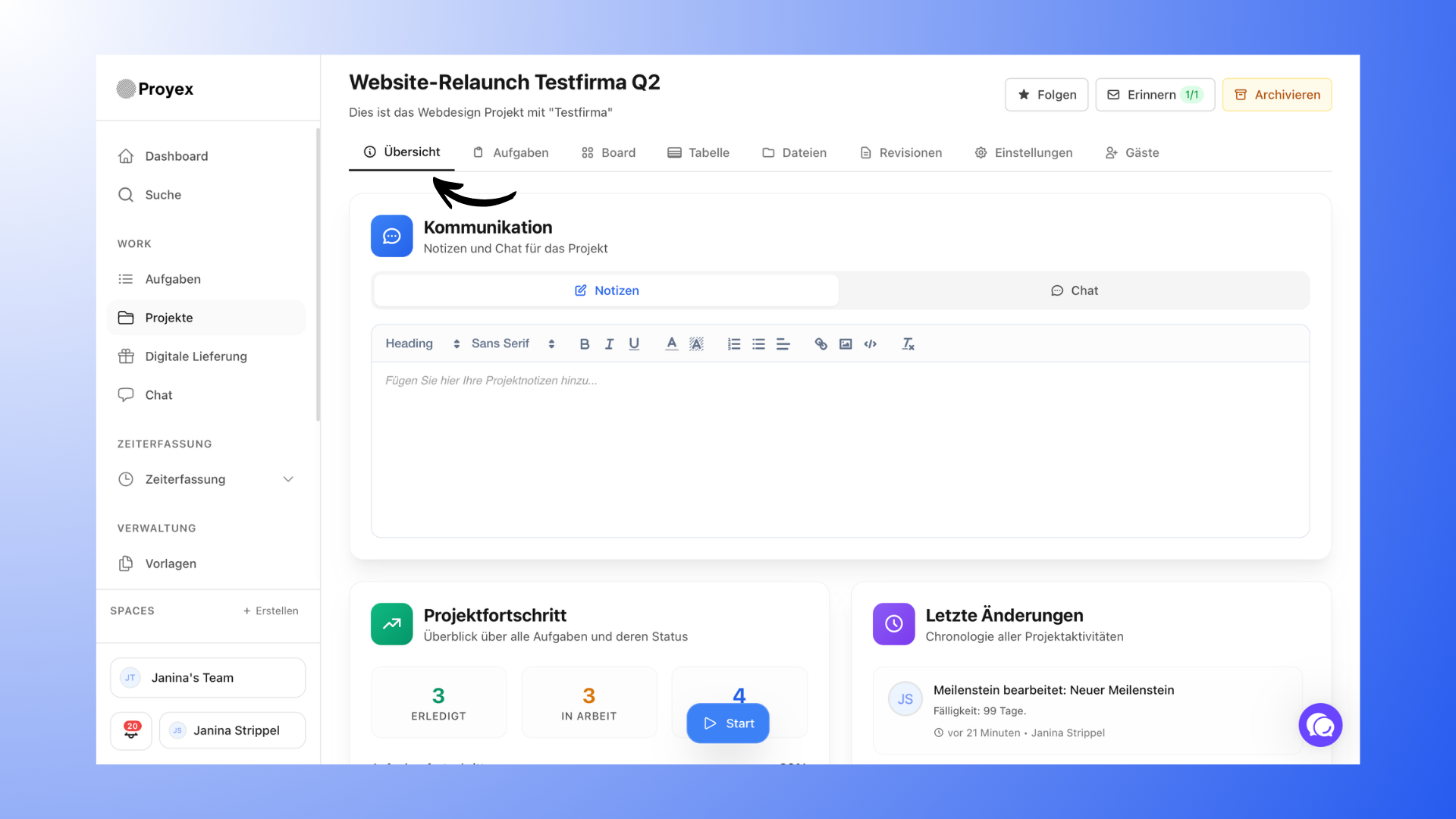
Within a project, you will always find the same areas, for example:
Overview
Tasks
Board (Kanban)
Table
Files
Revisions
Settings
Guests
A project can be used internally or shared with customers.
When a customer is invited, they are given access to the content that is visible to them.
Milestones: Structuring project phases
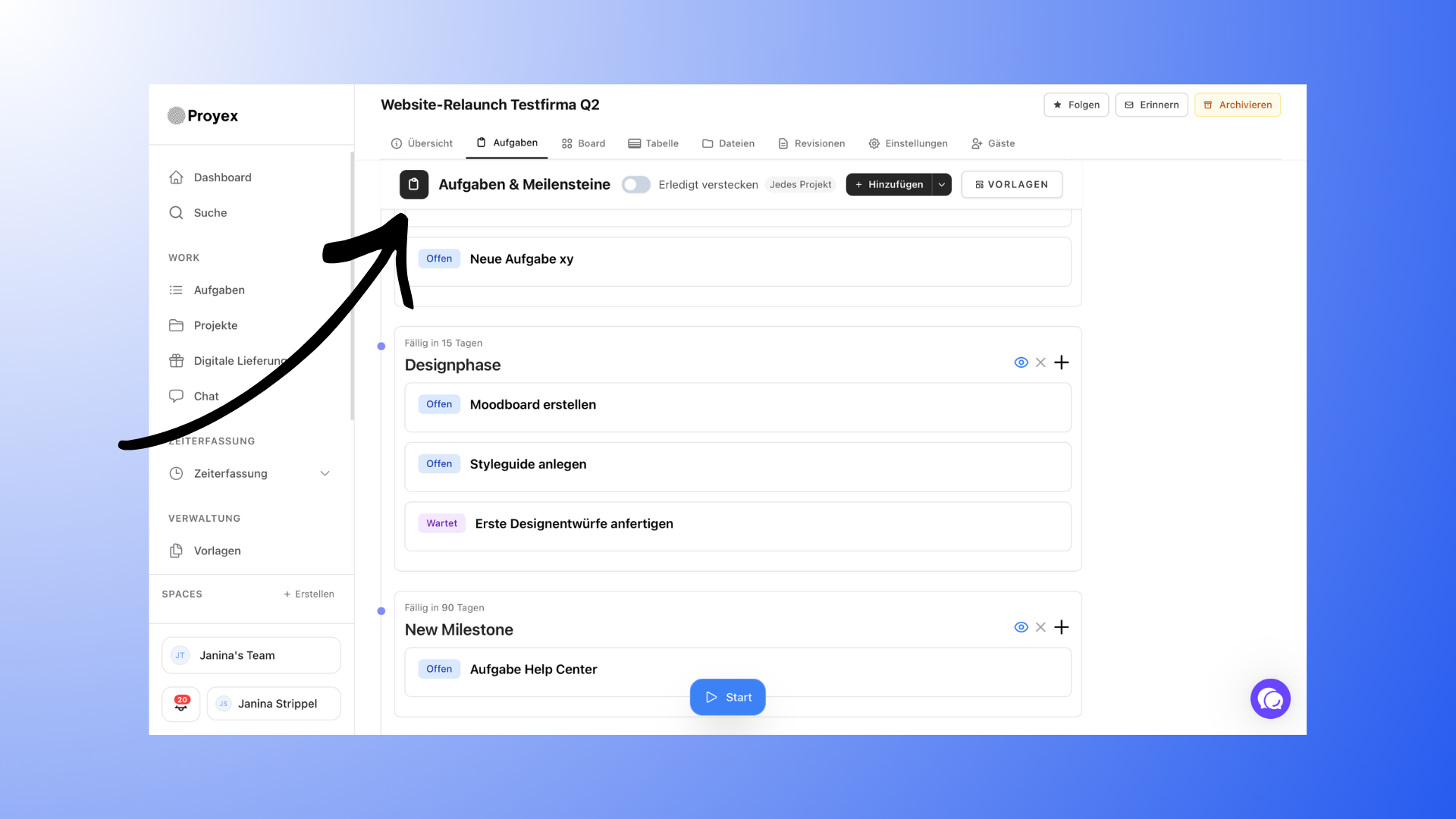
Milestones divide a project into larger sections or project phases.
They help to group tasks by topic and clearly show the progress of a project.
A milestone:
contains several tasks
always has a due date
can run parallel to other milestones
Milestones do not have to be completed one after the other. In many projects, several project phases run simultaneously.
Tasks: Specific work steps
Tasks are the individual work steps within a project. Each task always belongs to a milestone.
It is not possible to create a task without a milestone.
Tasks can include, among other things:
Description
Files
Responsible persons
Due dates
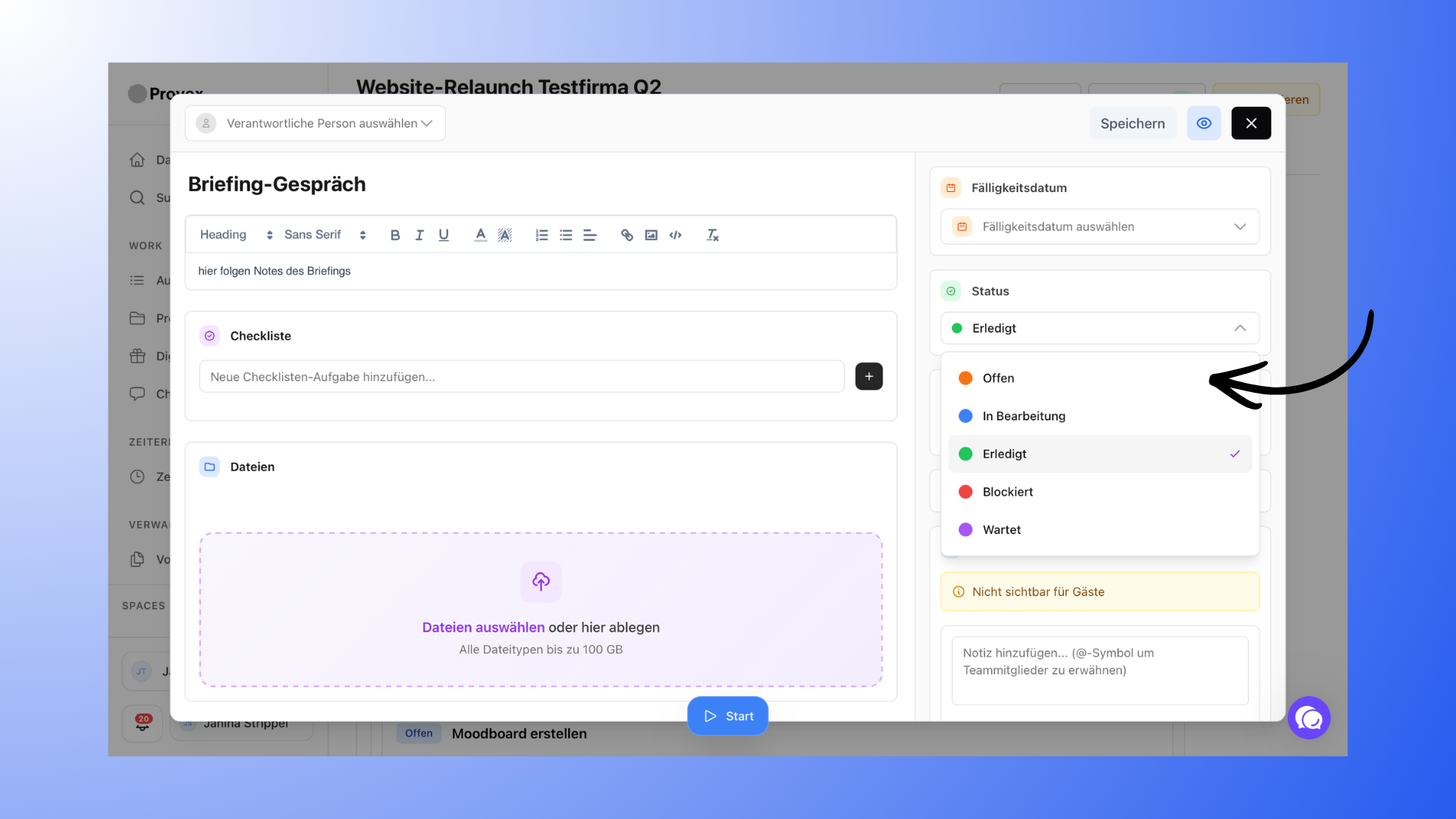
Status
The status shows the current status of a task, for example:
Open
In progress
Completed
Blocked
Waiting
Completed tasks show how far a project has progressed.
How progress is visible
Project progress is determined by two things:
1. Task status
When tasks are completed, the progress within a milestone automatically changes.
2. Milestones
Milestones show which project phases are already well advanced or completed.
This provides a clear overview of where a project currently stands.
Practical example
A typical project could be structured as follows, for example:
Project: Website relaunch
Milestones:
Concept
Design
Development
Tasks:
Concept
Create wireframes
Defining page structure
Design
Designing the home page
Design subpages
Development
Set up CMS
Integrating content
This allows a larger project to be broken down into manageable steps.
Why this structure is important
The combination of projects, milestones, and tasks ensures that:
Projects remain clearly structured
Progress is traceable
Tasks are grouped sensibly
Customers also understand the project status
This structure helps to avoid chaos, especially in larger projects.
Common mistakes
To ensure that the structure works well, there are a few things you should keep in mind:
Too many milestones
If every little detail becomes a separate milestone, the project quickly loses its overview.
Too few milestones
If all tasks are included in a single milestone, the project structure is lost.
It is best to define milestones as clear project phases.