Use Approval Processes
Written By Janina
Last updated About 1 month ago
Approval processes help you make clear decisions during a project and ensure that your client is satisfied with the results before you move forward.
Why Approval Processes Are Important
If you proceed with results without clear approval, the client may quickly request changes later on, even though you’ve already built upon them.
With a clear approval process, you know exactly whether your client is satisfied and thus get a clear “go-ahead” for the next steps.
How approvals work in Proyex
In Proyex, approvals are handled directly through the revision feature.
This means: Approval isn’t a separate step—it’s part of the review process.
You upload your work, and the client can then:
- Provide feedback
- or approve the revision directly
As soon as the client approves the work, you’ll receive a notification and can continue working.
Step-by-Step Guide to Getting Approvals
Step 1: Create your work
Create your deliverable as usual—for example, a design or concept.
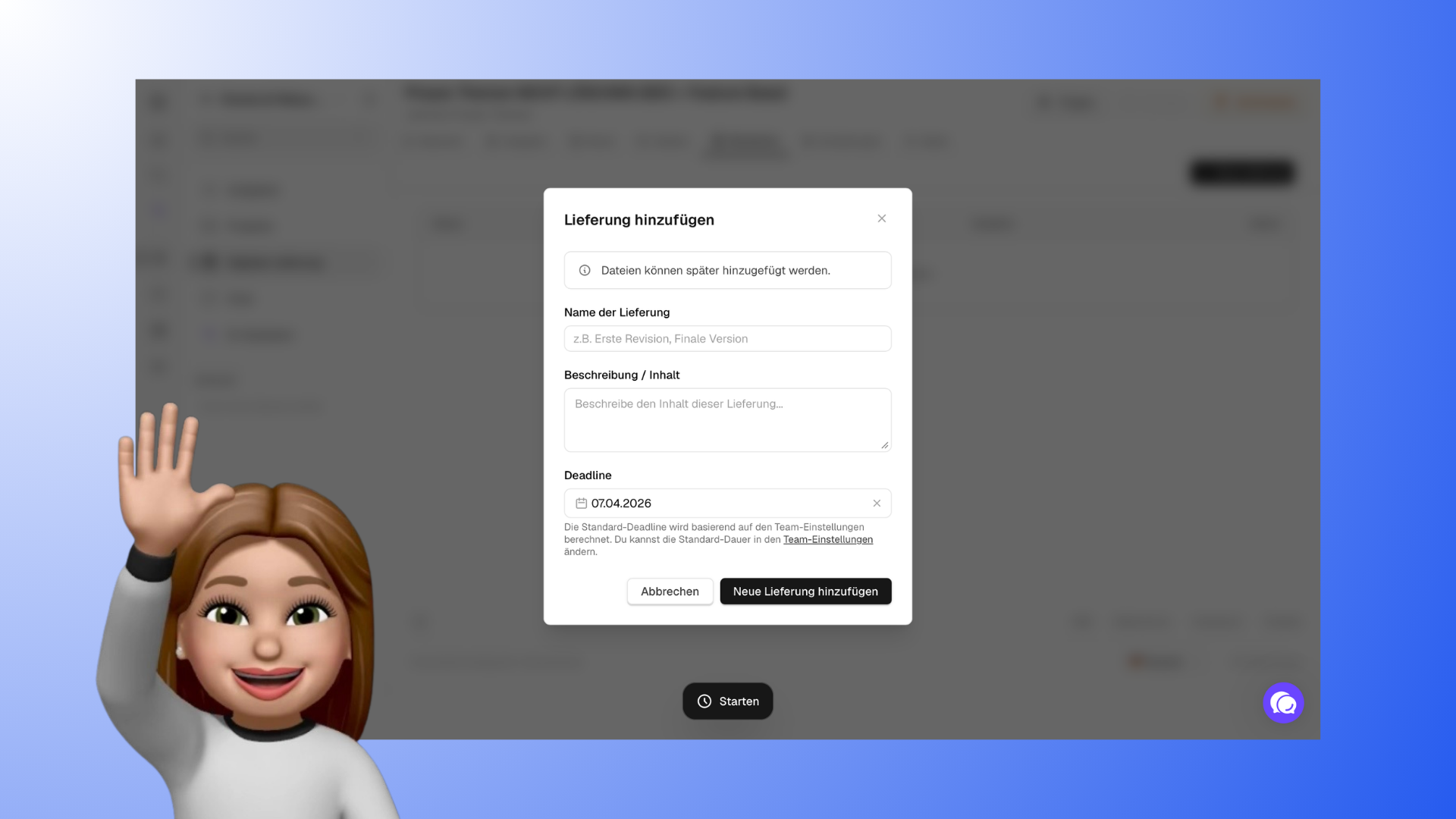
Step 2: Upload the revision
Upload your deliverable as a revision to the project. You can set a deadline (e.g., 2 weeks).
Step 3: The client reviews the deliverable
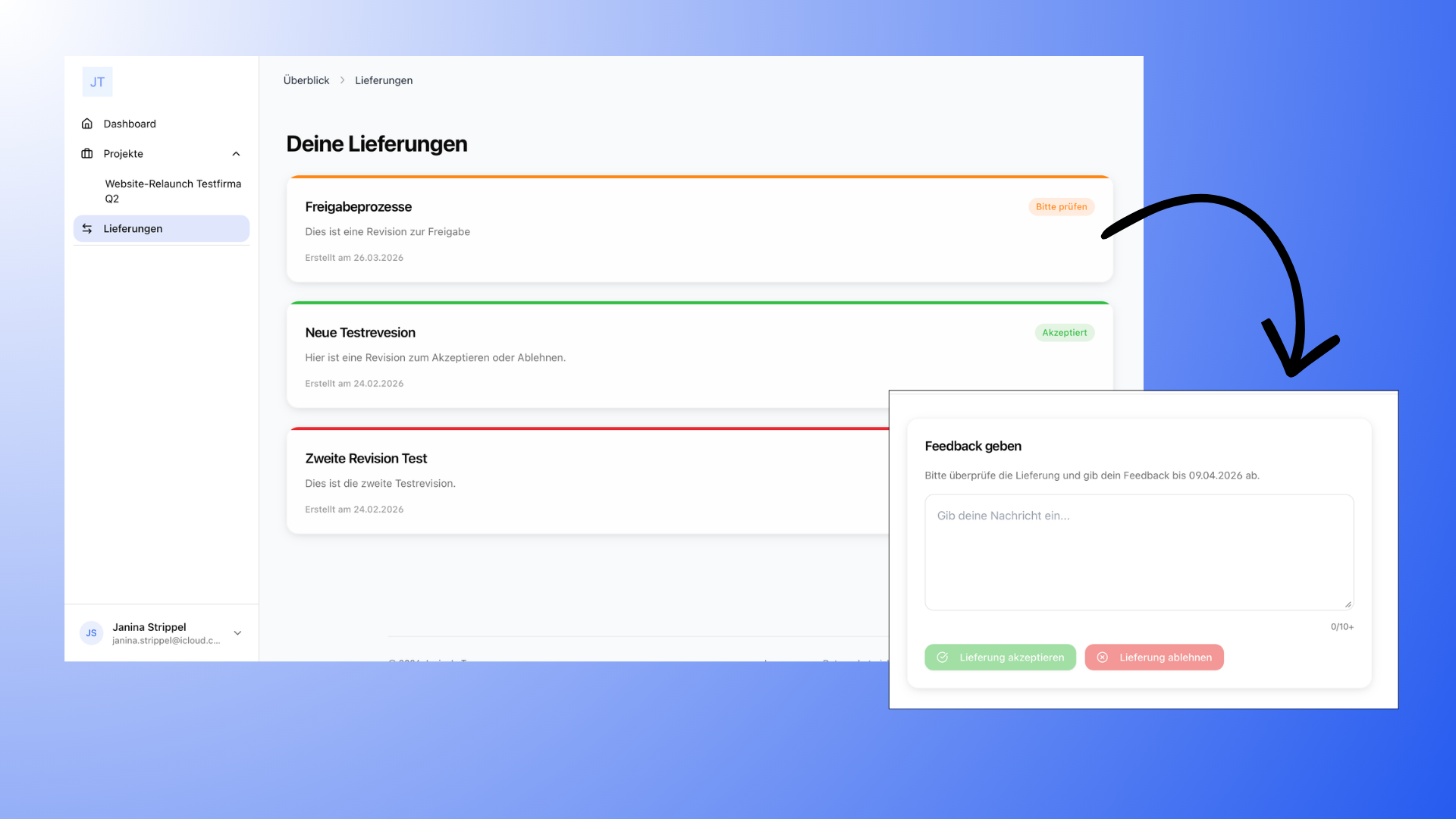
The client will be notified and can view the revision in the project. They then have two options:
- They provide feedback if further adjustments are needed
- or they can approve the revision
Step 4: Receive approval and continue working
As soon as the client approves the revision, you’ll receive an email notification.
You can then proceed to the next step in the project or finalize the result. If the client does not respond within the set deadline, the revision may be automatically considered approved.
Keep track of all approvals
Both you and your client have a central overview of all approvals:
In the client portal (“Your Approvals”), pending approvals always appear at the top, and the rest are sorted by date. Your client can filter the list by status and project, change the sort order, and see the associated project for each approval, as well as the date it was accepted or rejected.
In your internal overview (“Digital Deliverables”), you can also filter by status and project and sort by clicking on the column headers. The “Responded” column shows you at a glance when an approval was accepted or rejected.
Tip: If completed or archived projects make the list in the customer portal cluttered, you can hide them completely in the portal settings for customers.
Feedback vs. Approval
Feedback and approval are closely related but have different meanings:
Feedback means: Adjustments are still needed
Approval means: The result is satisfactory, and you can continue working with it
Often, the process goes like this: you first receive feedback, and after one or more revisions, you finally get approval.
Tips for Successful Approval Processes
Always wait to seek approval until your work is truly ready. Half-finished drafts often lead to unnecessary feedback and prolong the process.
Also, make sure to communicate clearly and ensure your client knows exactly what each revision is about. This helps you avoid misunderstandings and speeds up the decision-making process.