Structuring tasks sensibly - best practice
Written By Janina
Last updated 5 months ago
A well-structured task list is the foundation of successful projects.
It helps your team work efficiently and keeps your clients informed at all times about what’s happening and what’s coming next.
In this article, you’ll find proven recommendations on how to effectively set up and use tasks in Proyex.
🧠 Tasks are important both internally and externally
In Proyex, tasks aren’t just an internal planning tool—they’re also a central element of collaboration with clients.
Internally, tasks help your team clearly distribute work and make progress visible.
Externally, they provide guidance to clients, for example, when they need to deliver or approve something themselves.
A typical example:
A task like “Create kickoff document” is assigned to the client and makes it clear to everyone what’s still missing before moving forward.
✂️ Keep tasks clear and manageable
A good rule of thumb: One task = one specific action!
Instead of bundling large tasks, it makes sense to break them down into steps:
❌ “Create complete design”
✅ “Create logo”
✅ “Develop 3 design drafts”
✅ “3 rounds of revisions on the design drafts”
If a task is more extensive in scope, you can also use checklists to map out individual steps.
This keeps the task clear without making your project confusing.
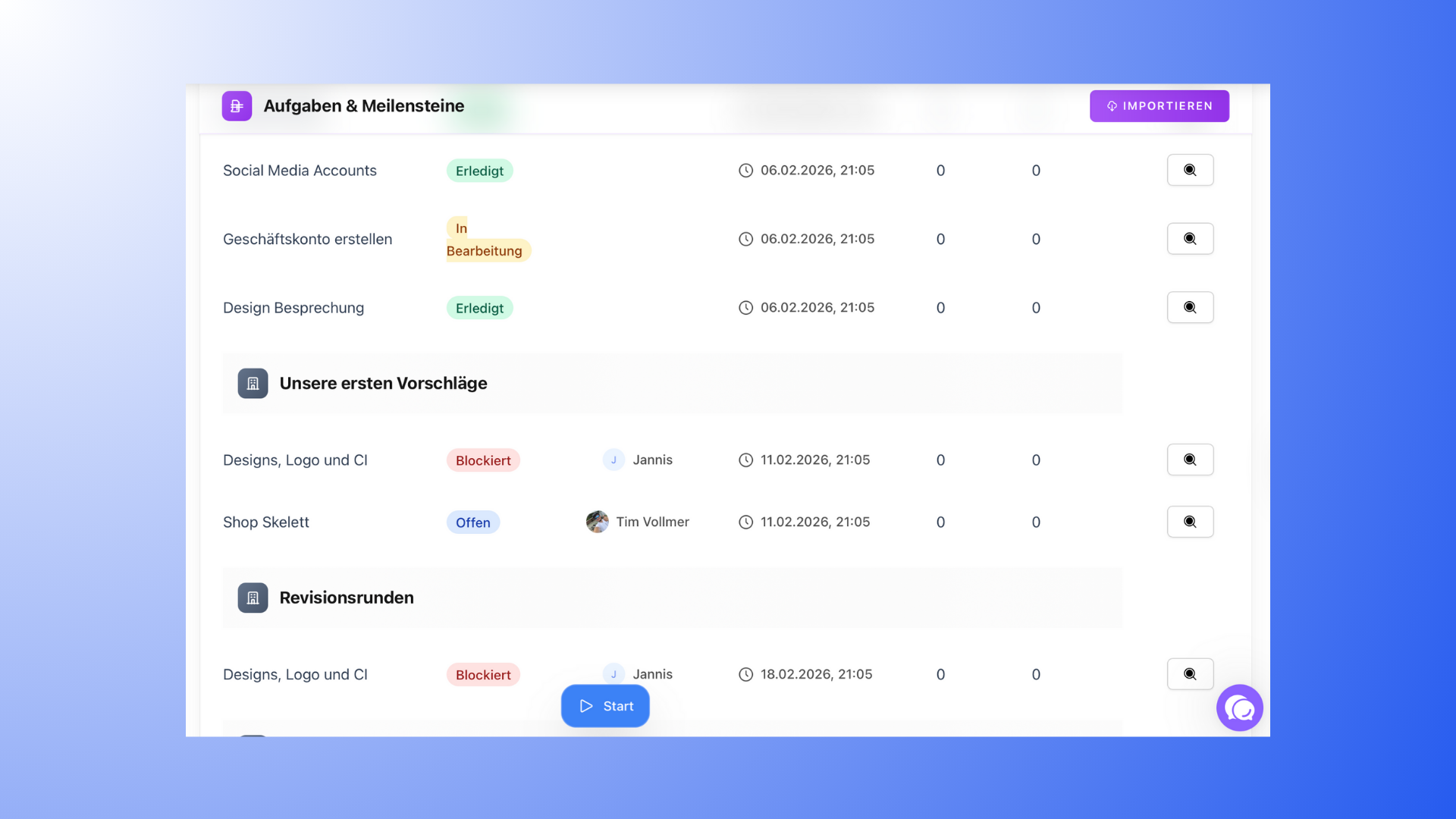
🧱 Milestones set the framework
Milestones and tasks have different roles:
Milestones represent project phases
Tasks are the specific to-dos within these phases
A clear distinction ensures that projects are structured logically and that both the team and clients can track progress more easily.
Read more at: "Create milestones".
🔄 Use status wisely
Task status is one of the most important guiding elements in a project.
Practical recommendations:
Use statuses clearly and consistently
Avoid having all tasks permanently marked as “In Progress”
Ensure that customers can tell what’s happening based on the status
A well-maintained status reduces follow-up questions and ensures transparency, both internally and externally.
📅 Use deadlines strategically
Not every task necessarily needs its own deadline.
Often, it’s enough to assign a due date to milestones to keep track of the project timeline.
However, tasks with external dependencies (such as tasks for clients) often benefit from clear deadlines.
👀 Think about tasks from the customer’s perspective
Projects are particularly easy for clients to understand when:
Tasks are clearly named
the status is kept up to date
there aren’t too many open tasks at once
This way, customers always know where the project stands—and when they need to get involved.
See also: "Invite customers to a project".
🚫 Avoid common mistakes
These points often lead to confusion in the project:
Tasks without a clear description or goal
Too many tasks open at the same time
Unused or incorrectly set statuses
Customers don’t know what is currently expected of them
With a clean task structure, these problems can be easily avoided.
🎯 Conclusion
Well-structured tasks create clarity, reduce follow-up questions, and help everyone involved work together efficiently.
Use these tips for your projects and structure tasks effectively with Proyex.