Filter, sort and search
Written By Janina
Last updated 6 months ago
The larger projects and task lists become, the more important it is to find the right thing quickly.
With filters, sorting, and search functions, you can keep track of everything at all times, even with many projects.
📂 Filter and sort projects
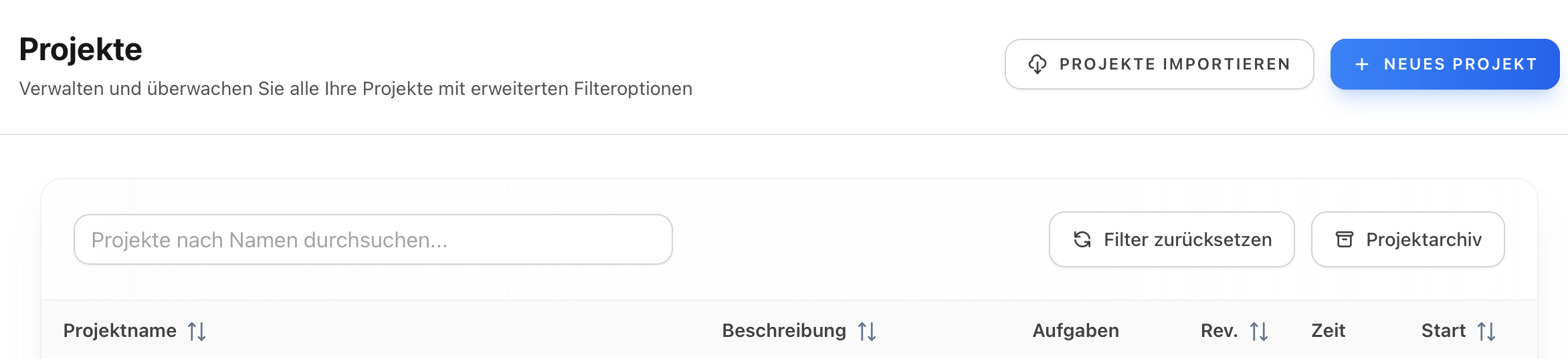
In the project overview, you can control projects directly via the columns.
Sorting projects
You can use the arrows in the column headers to sort projects, for example by:
Name
Description
Status
Start date
You can choose between:
ascending
descending
Neutral (no sorting)
Switch.
Reset filter
You can return to the default view at any time by clicking the "Reset filter" button.
📋 Tasks in the project: Control visibility
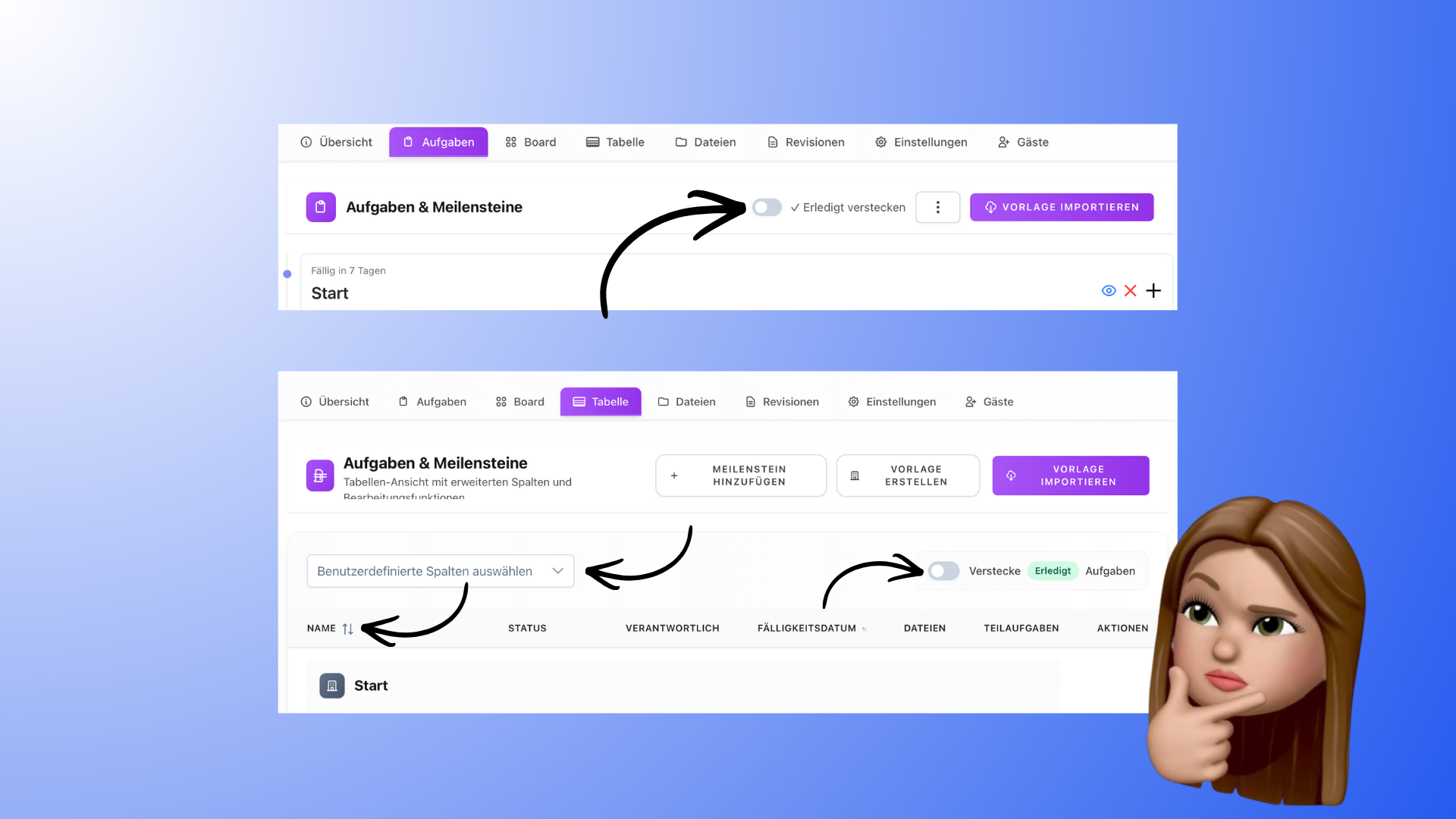
Within a single project, the filter options are deliberately reduced:
In the task list, you can show or hide completed tasks.
There are no filter or sort functions on the board.
In the table view, you can:
sort by due date
hide completed tasks
This keeps the work in the project clear and focused.
📊 Central task overview in the dashboard
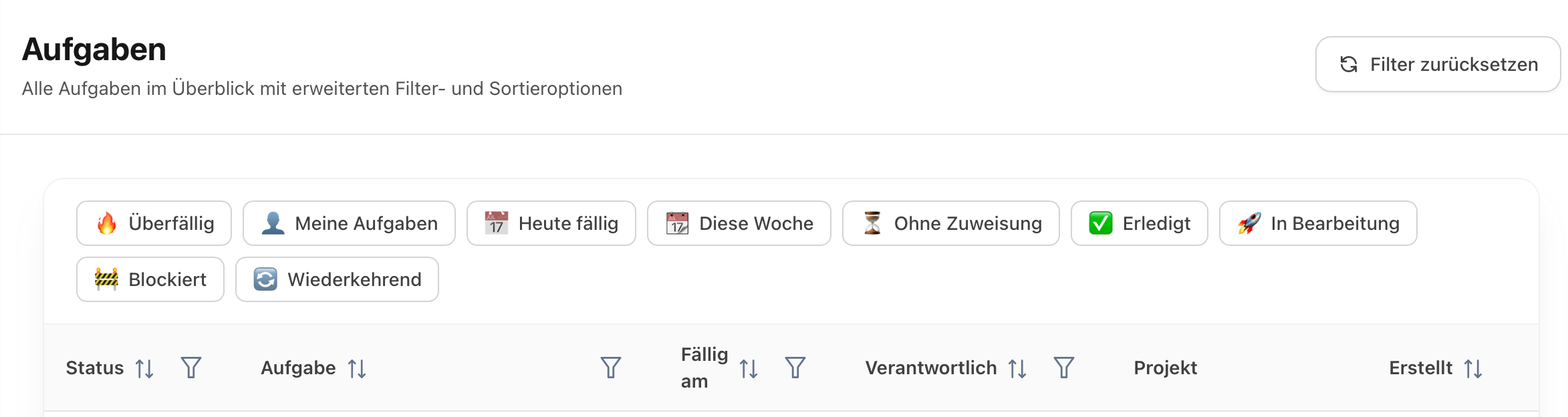
The most comprehensive filter and sort functions can be found in the task overview in the dashboard.
Here you can see all tasks from all projects at a glance.
Sorting tasks
You can sort tasks by, among other things:
Status
Task
Due date
Responsible person
Project
Creation Date
Here, too, you can sort by ascending, descending, or no sort order.
🧩 Filter tasks specifically
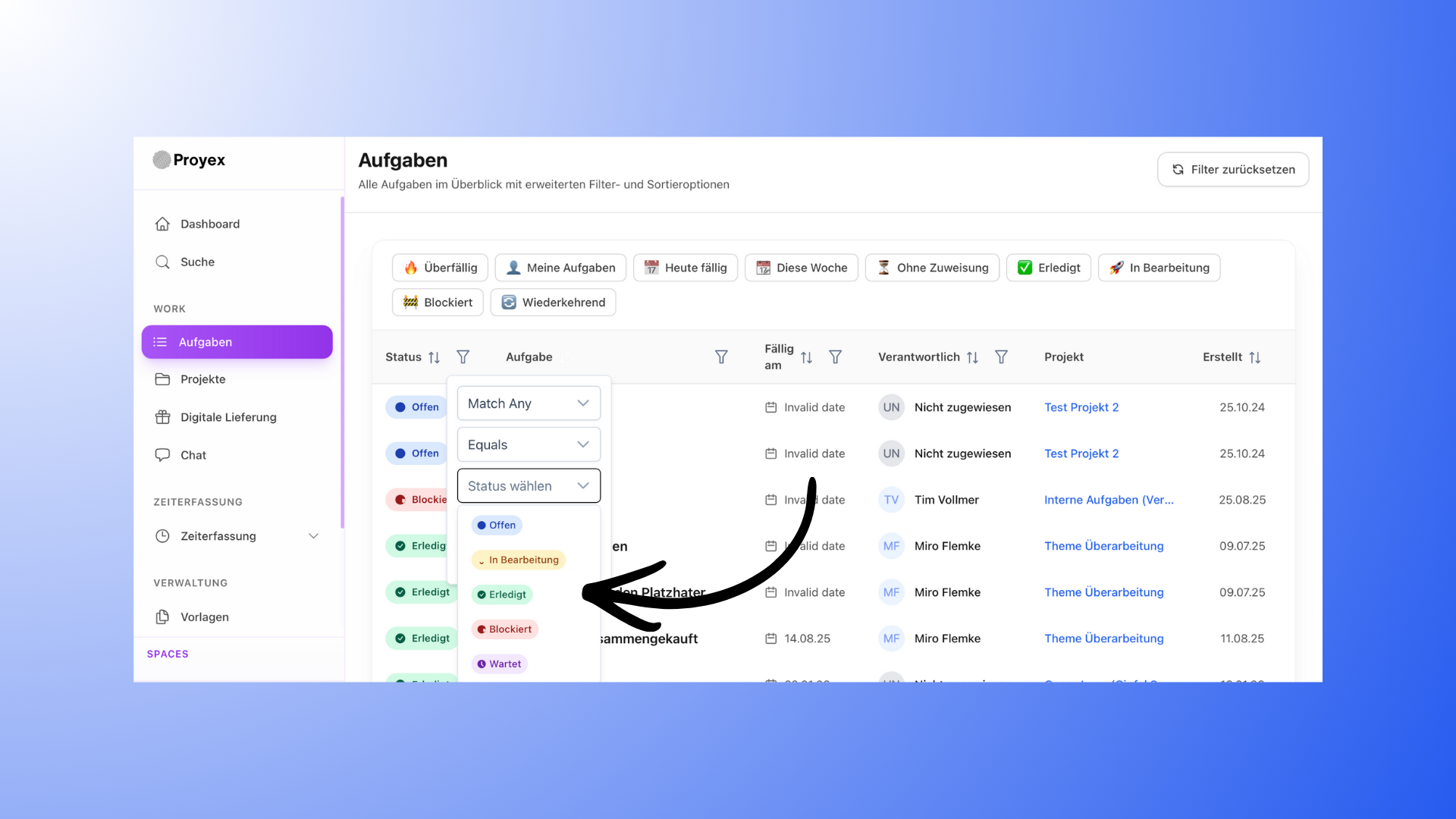
In the task overview, you can filter very flexibly, even with multiple rules.
Filter by status
For example:
Open
in progress
completed
blocked
waiting
You can specify whether all or one of the conditions must apply.
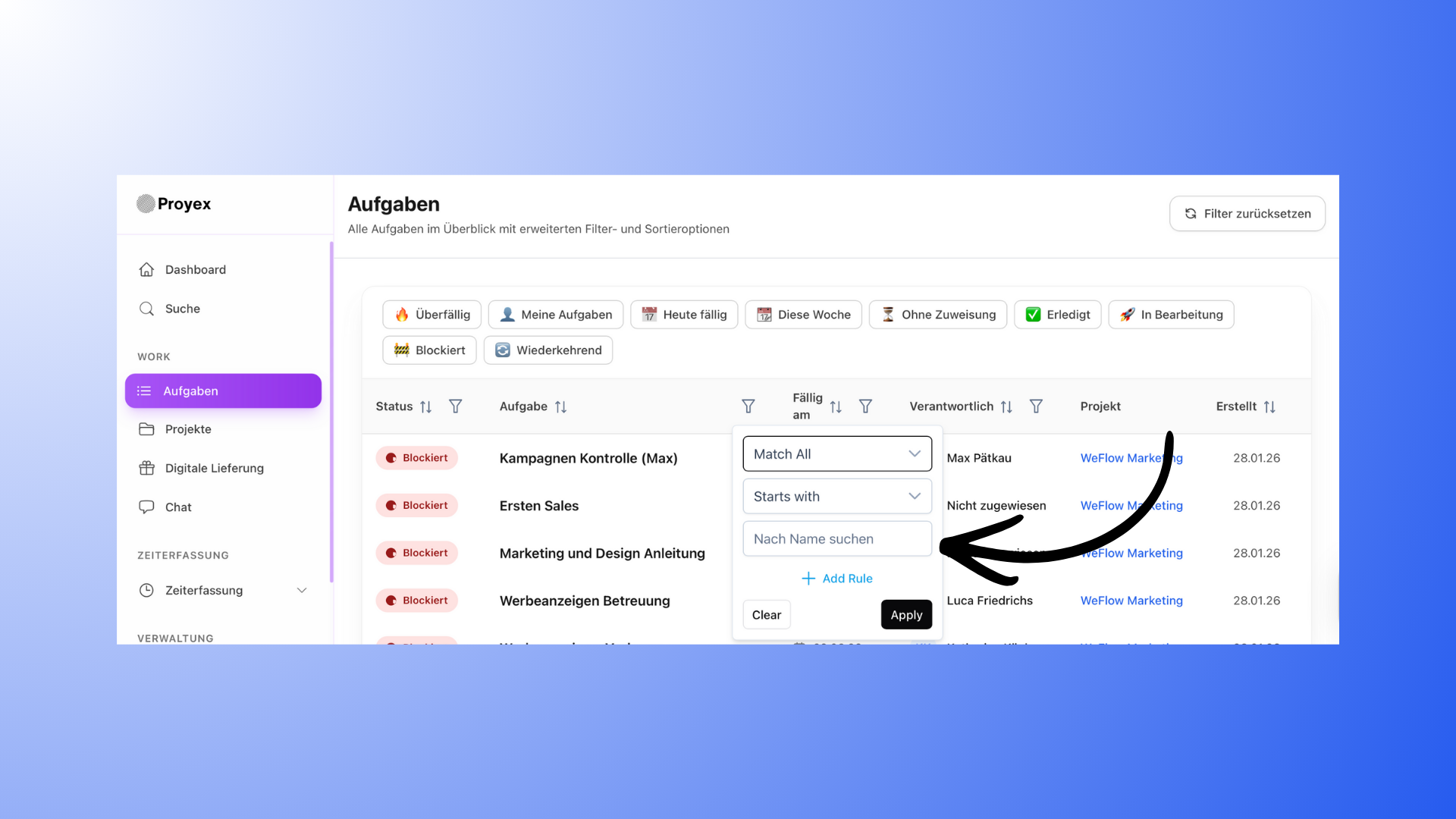
Filter by task name
Here you can choose, among other things:
begins with
contains
does not contain
ends with
is equal to
is not equal to
You can also search directly for a task name.
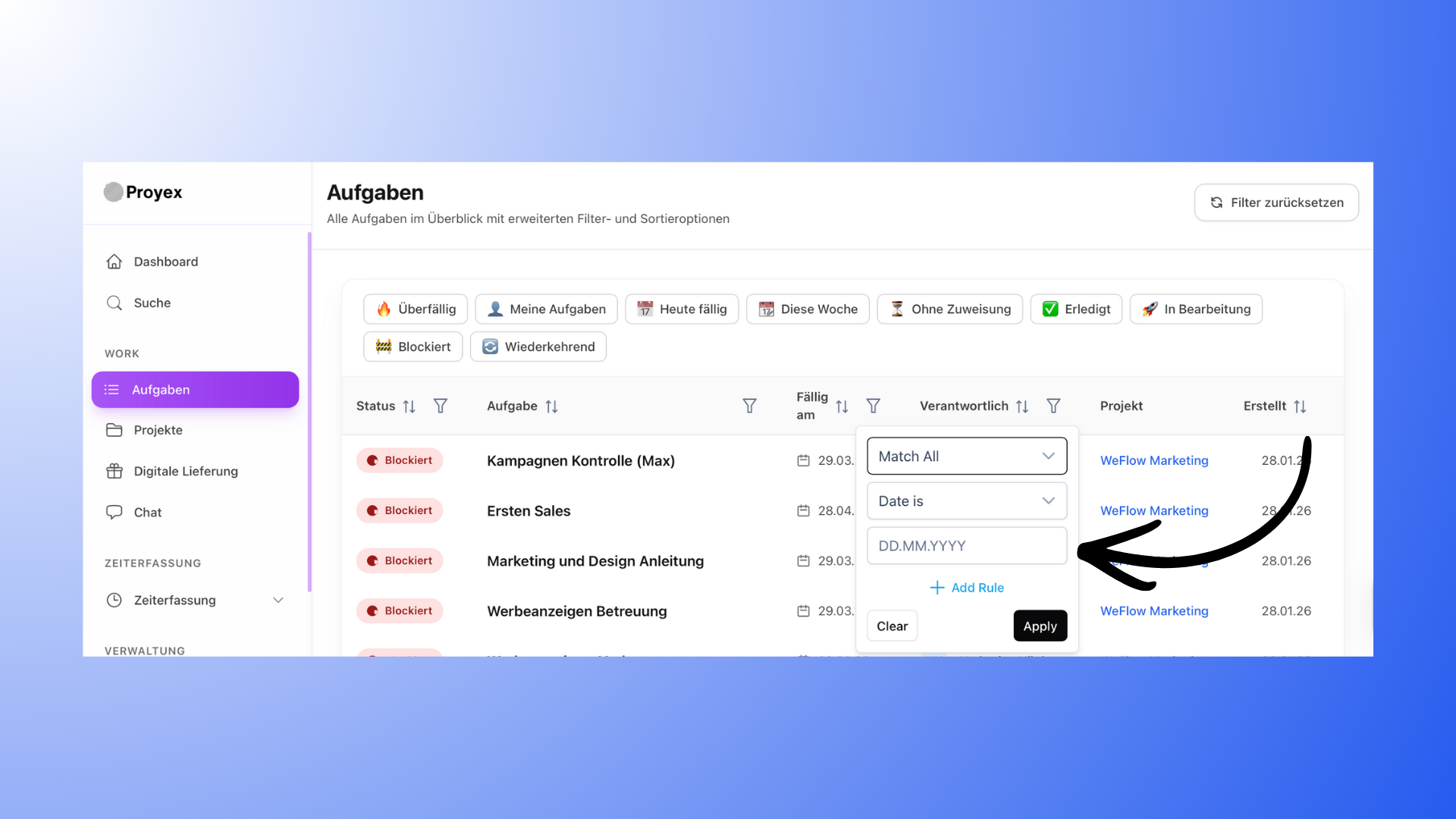
Filter by due date
Possible options:
Date is
Date is not
Date is before
Date is after
This allows you to quickly find tasks that are overdue or due soon, for example.
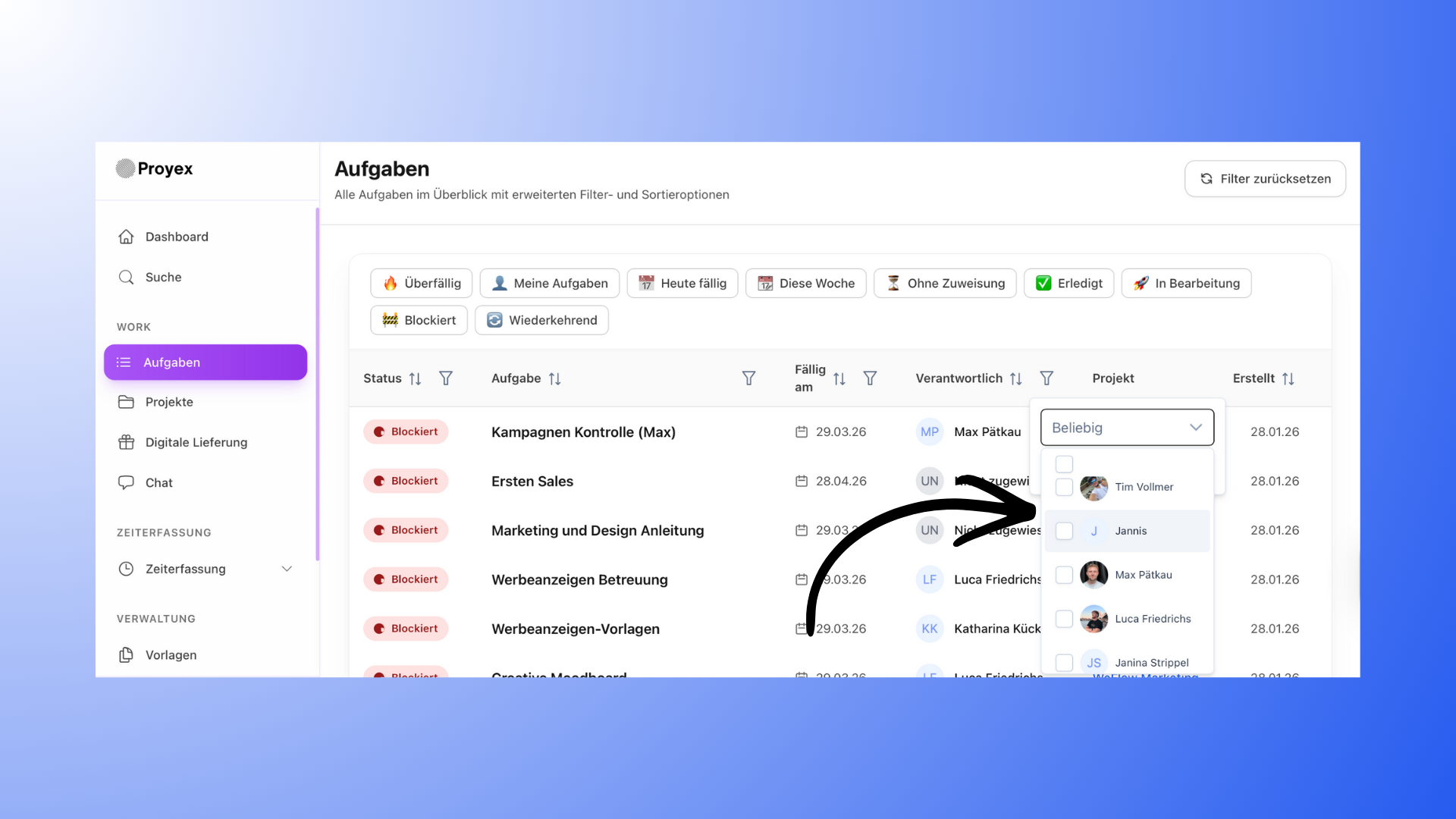
Filter by person in charge
You can filter tasks by the assigned person.
All team members are available for selection.
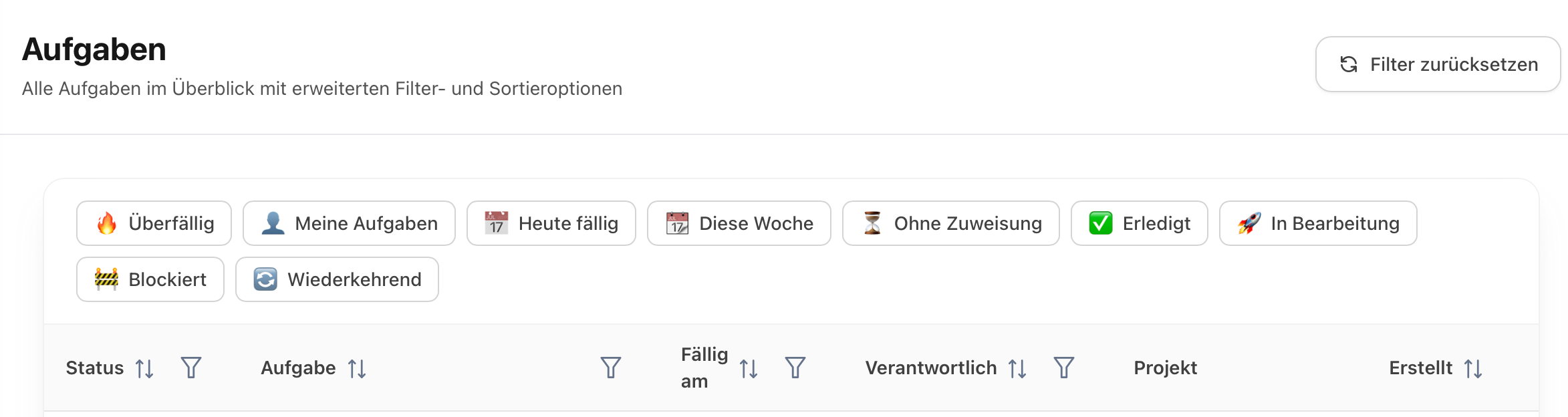
Additional quick filters
At the top, you’ll find additional filter options, such as:
Overdue
my tasks
due today
this week
unassigned
Completed
In progress
blocked
Recurring
These filters can be combined with other rules.
🔍 Search for projects, tasks, and files
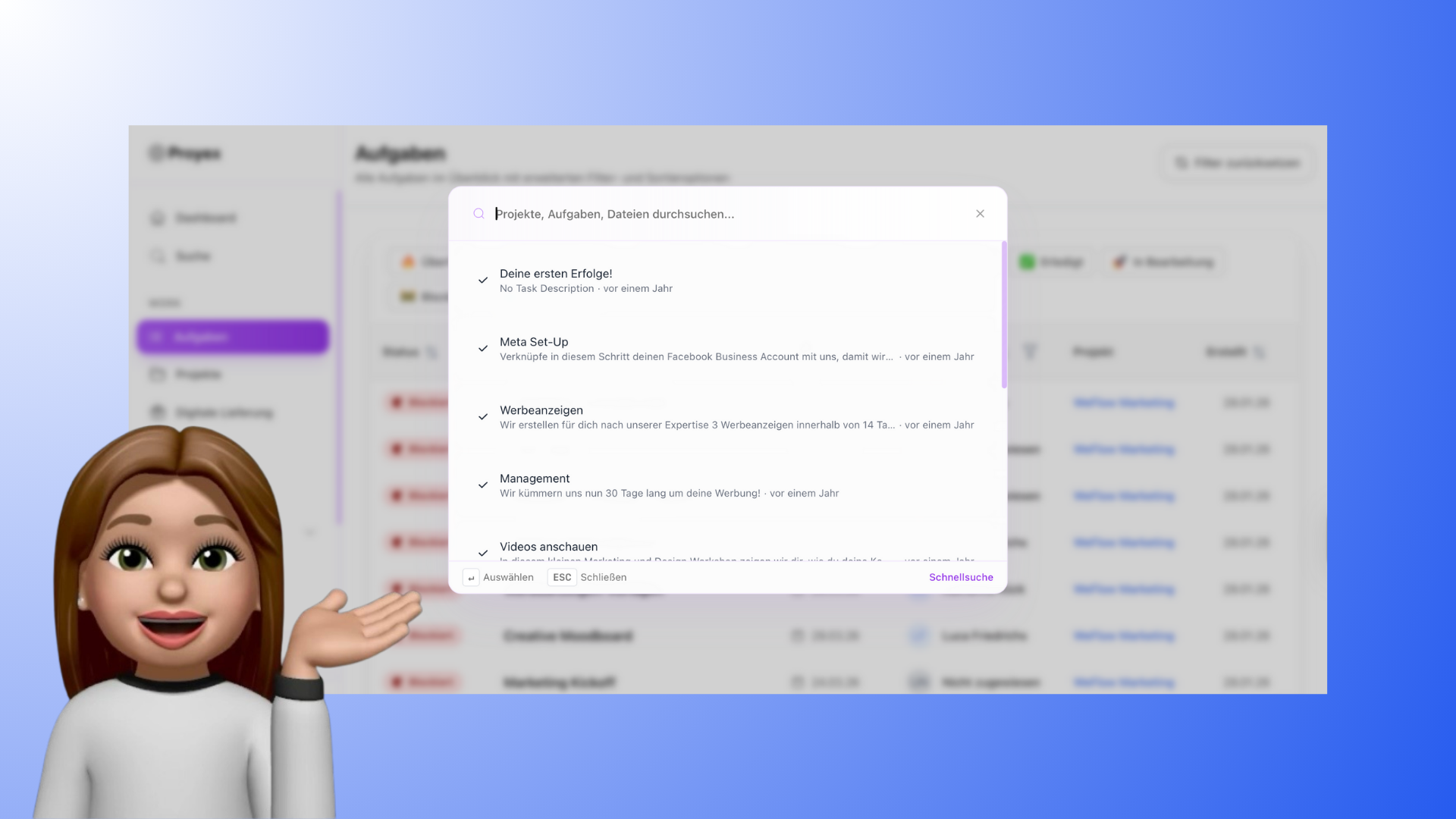
Clicking the "Search" menu item on the left opens a search window.
Here you can search specifically for:
Projects
Tasks
Files
The search feature is especially helpful when you want to quickly jump to specific content.
👥 Restrictions for customers
Customers have:
no access to the search function
no filtering or sorting functions
Since customers usually only work on individual projects, their view is deliberately kept simple and clear.
💡 Good to know
Filter and sort settings are not saved permanently.
You can find the most comprehensive filters in the task overview in the menu.
Use combinations of filters and sorting to build your personal work overview.
Keep track of everything—even with many projects and tasks—Proyex.