Customer communication in the project
Written By Janina
Last updated 6 months ago
Proyex's project-related customer communication is deliberately structured.
There is no traditional project chat for customers.
Instead, communication within the project takes place via:
Revisions (feedback and approvals)
Task status and file uploads
Automatic email notifications
This ensures that feedback remains traceable and linked to the right places.
🧭 Basic principle
Project communication with customers mainly takes place via revisions in Proyex.
This means:
Feedback is always linked to a specific delivery
Approvals are documented
Deadlines are binding
Changes are traceable in the log
The Help Center with chat is available for general tool questions. However, this does not apply to project communication.
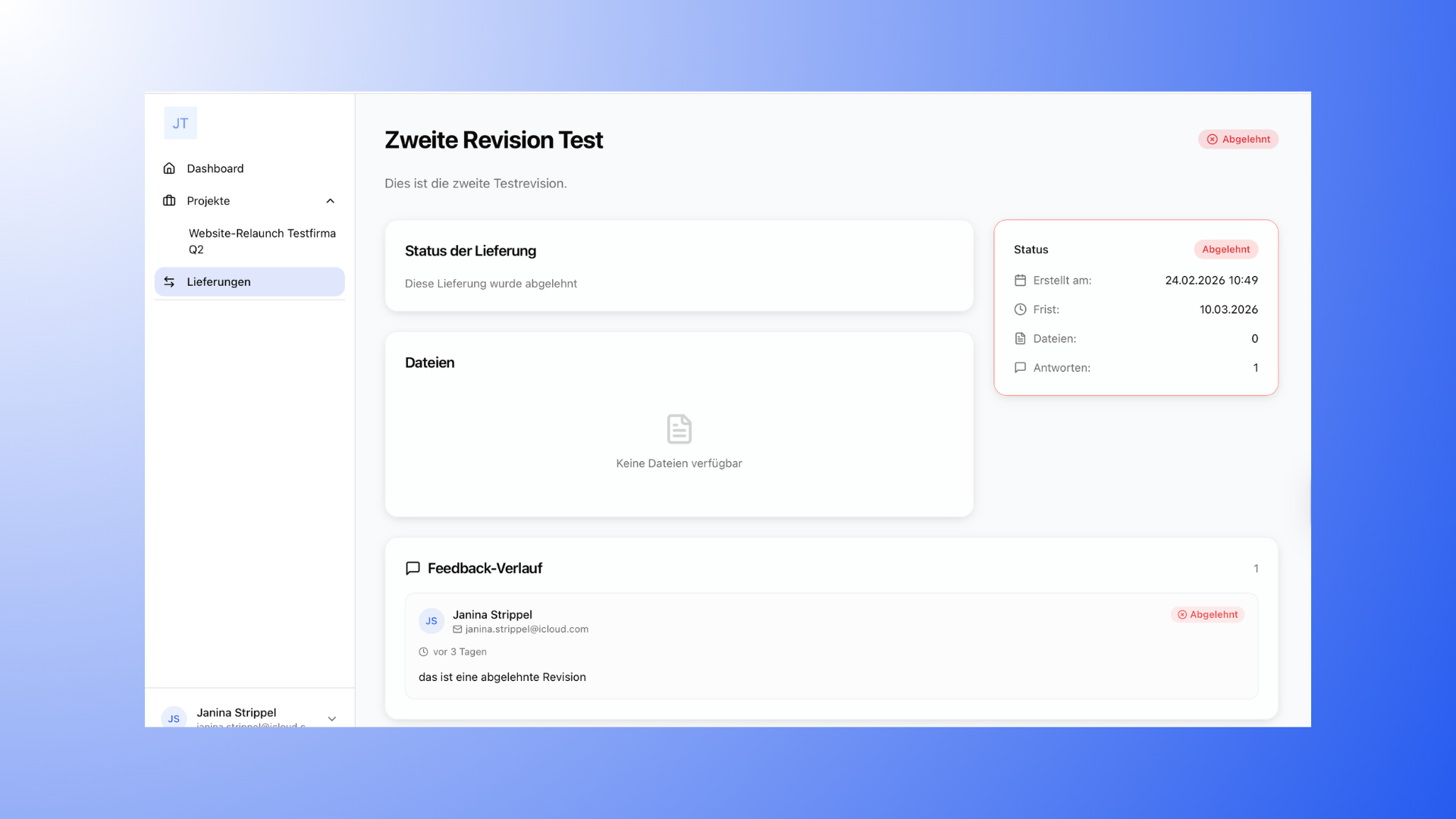
Communication about revisions
Revisions are the central location for feedback.
Here you can:
Upload drafts or results
set a deadline
Publish the revision
Get feedback from the client
The customer can:
Leave a comment
approve the delivery
or reject it
All changes are recorded in the change log.
For details on how to create a change log, see the article "Obtaining feedback from customers".
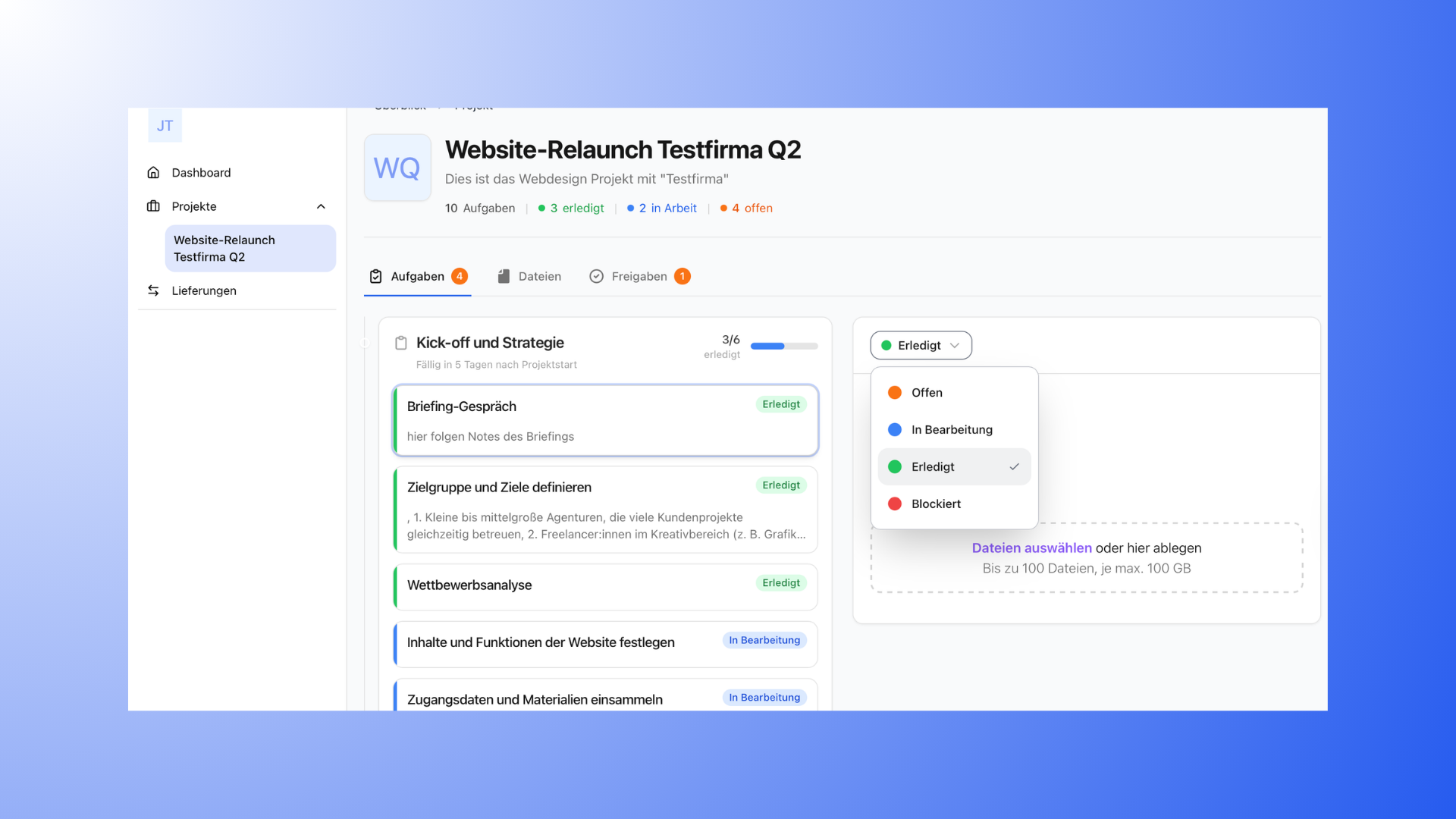
Communication about tasks
Tasks are also part of project communication.
Customers can:
change the status of tasks (e.g., from "In progress" to "Completed")
Upload files to tasks
The following is not possible:
Comment on tasks
Start new revisions
Tasks are intended for organizational coordination rather than for content-related feedback processes.
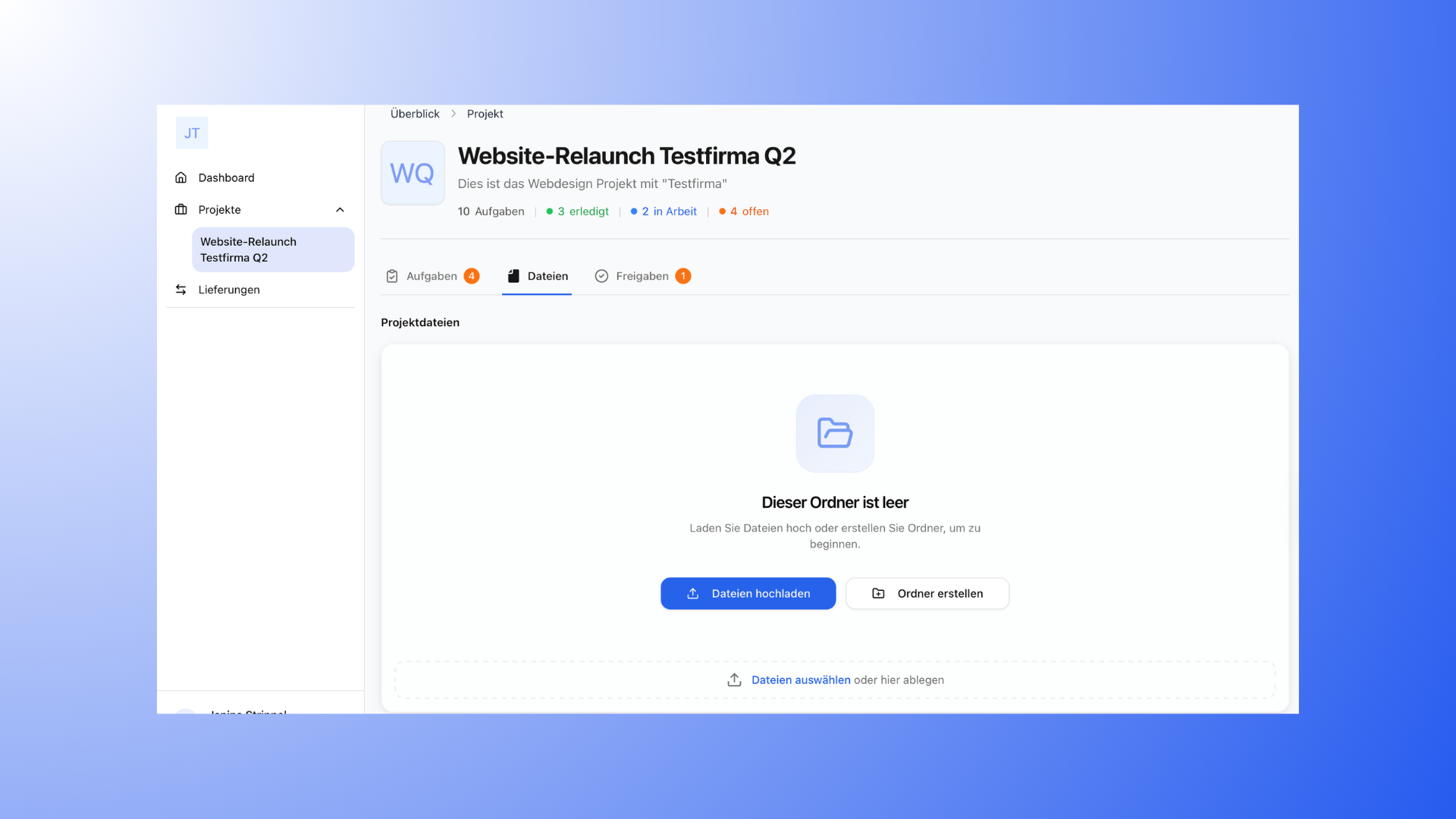
Communication via files
In the Files section, you can:
final results can be uploaded
provide project materials
Customers can:
download files
upload their own files
However, feedback on content changes should be provided via revisions, not via the file area alone.
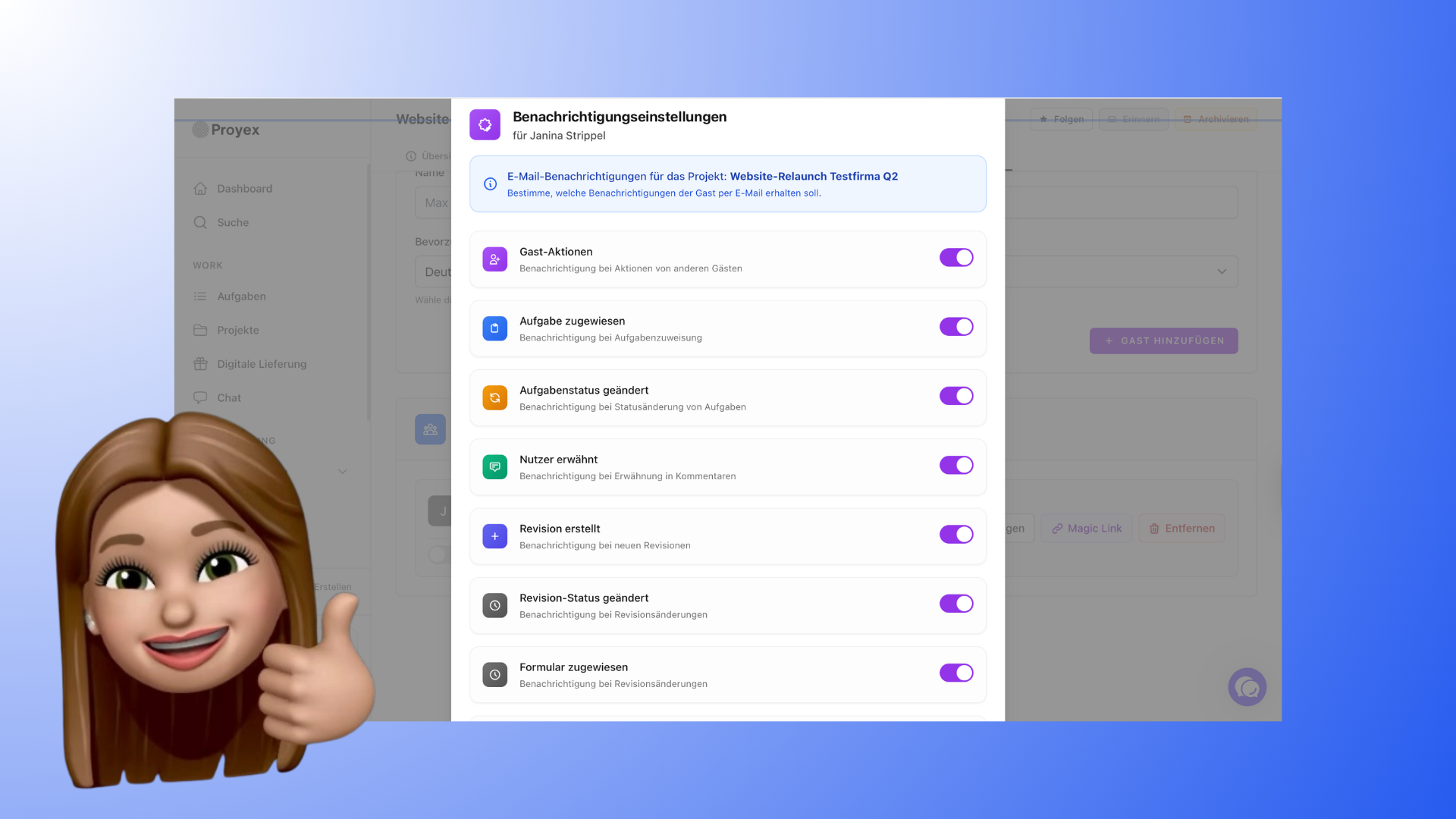
Email notifications
Customers can be automatically notified by email, e.g., in the case of:
Newly created revisions
changed revision status
assigned tasks
Task status changes
mentions
Form assignments
Reminders
Particularly important:
For open revisions, customers are automatically reminded by email when feedback is pending.
This means you don't have to follow up manually.
Internal team communication
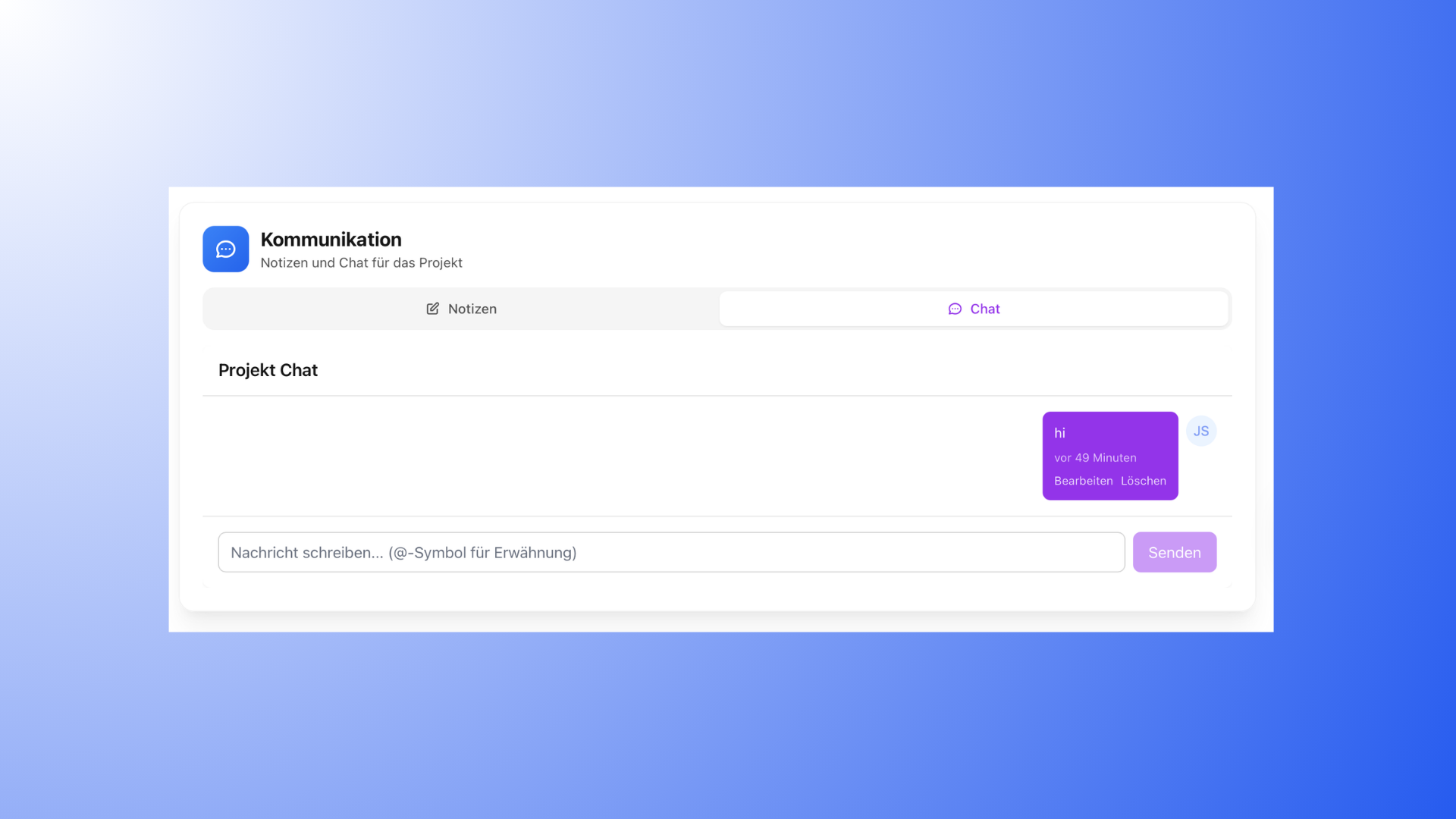
Proyex also features an internal team chat.
This can be used:
project-specific or cross-project
only visible to team members
not accessible to customers
It is used for internal coordination and is completely separate from customer communication.
What is not part of project communication
Proyex Does not replace general communication channels such as:
Email
Meetings
Phone calls
Queries or consultations can still take place externally. However, revisions should
always be used for traceable feedback and approvals.
Avoid common mistakes
To ensure clear communication in the project:
Do not collect feedback via WhatsApp or Messenger
Clearly name revisions (e.g., "Web design homepage - Round 1")
Determine in advance how many revisions are included
Use revisions selectively, not for every little thing
Structured communication saves time and prevents misunderstandings.